
When working as a web application penetration tester, one of the most commonly used tools is PortSwigger's Burp Suite Professional. Some opt for OWASP ZAP, but recently there has been increasing talk about a new solution that promises to be better and faster than Burp. The tool in question is Caido - and in this Caido vs Burp comparison, we'll find out whether it's really worth paying attention to.
Caido is written in Rust and focuses on speed and better workflow support, especially for Bug Bounty programs. Choosing Burp Professional, on the other hand, is about finding the best penetration testing tool available - not necessarily the cheapest one.
The comparison of individual features and their impact on day-to-day work begins with an analysis of functionality and quality. Screenshots of the respective GUIs are presented throughout each section.
Information Generated by the Scanners
Burp's default view is fairly comprehensive. The first point of analysis is the Dashboard tab:
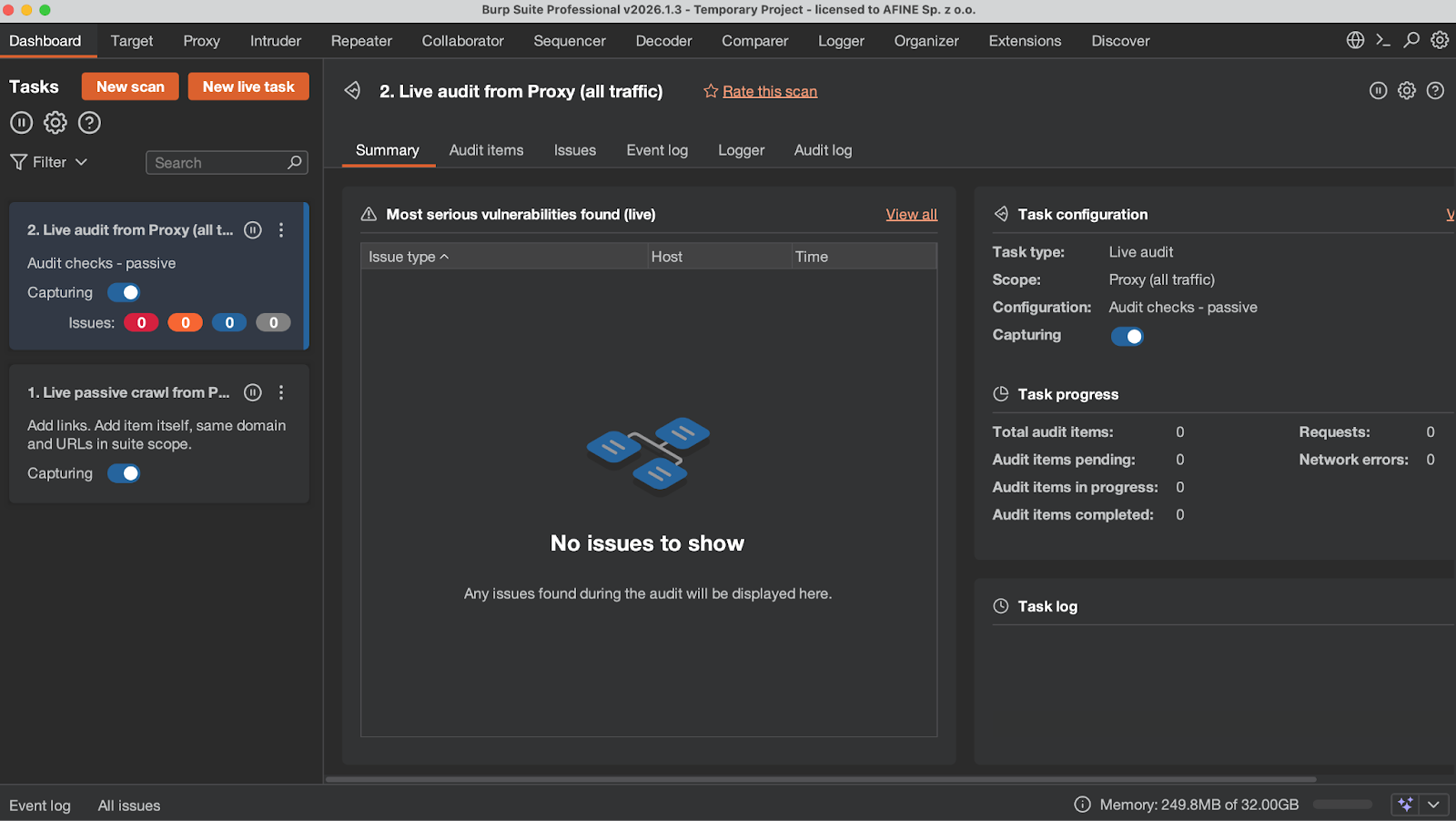
- This is where all scans appear.
- This tab covers individual scans: Summary is an overview of discovered security issues; Audit Items contains endpoint scanning details and injection point information; Issues covers discovered vulnerabilities with full details; Event Log contains information about scanner operational correctness; Logger is the complete history of all network traffic related to the scan; Audit Log contains information about discovered and potential issues - i.e., application behavior that Burp later classifies as not qualifying as a vulnerability.
- This tab contains a brief summary of the scan.
- Global information such as the Event Log and Issues covering all scans, memory usage (Burp defaults to half of available RAM), and AI-related information.
Caido does not have a Dashboard tab. This function is served by a project selection panel, which - unlike in Burp - is visible immediately upon launching the application. In Burp, the Dashboard is closely tied to the vulnerability scanner. The scanner will therefore be the first point of comparison in this Caido vs Burp analysis, and simultaneously one of the biggest differences between the two tools.
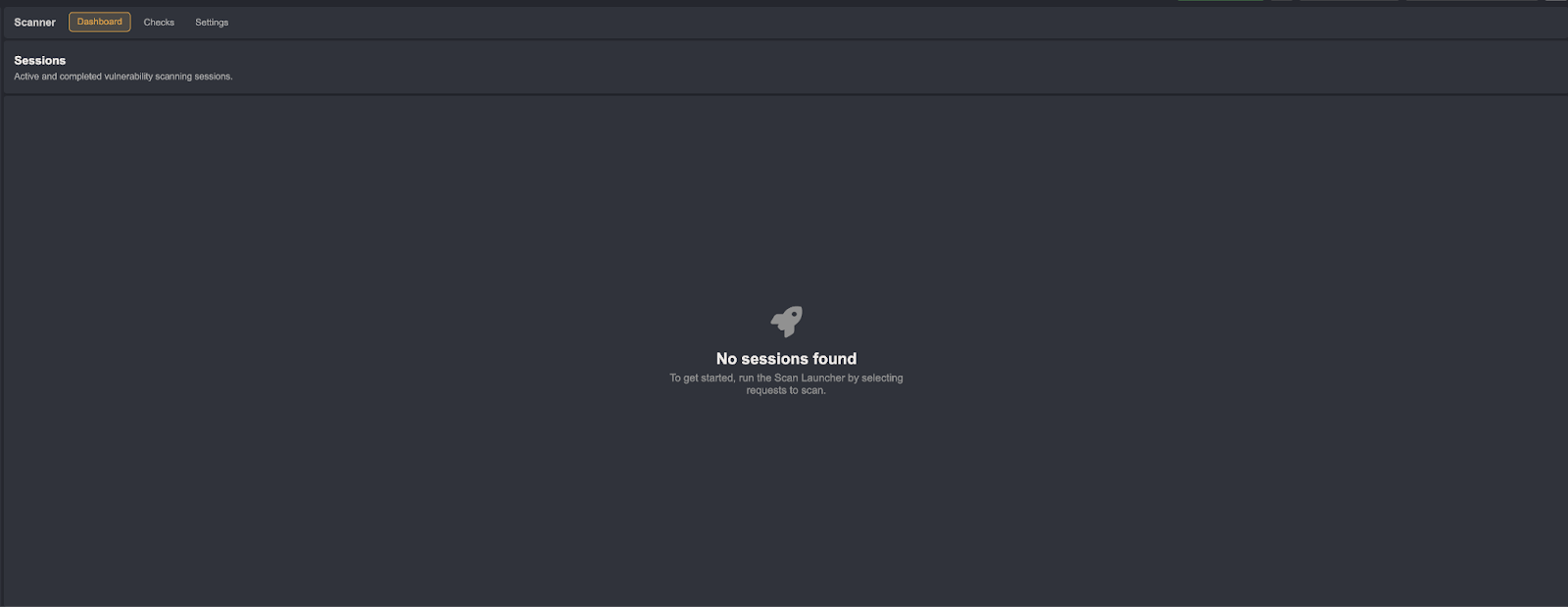
In Caido's case, the scanner provides far less useful information and fewer tabs.
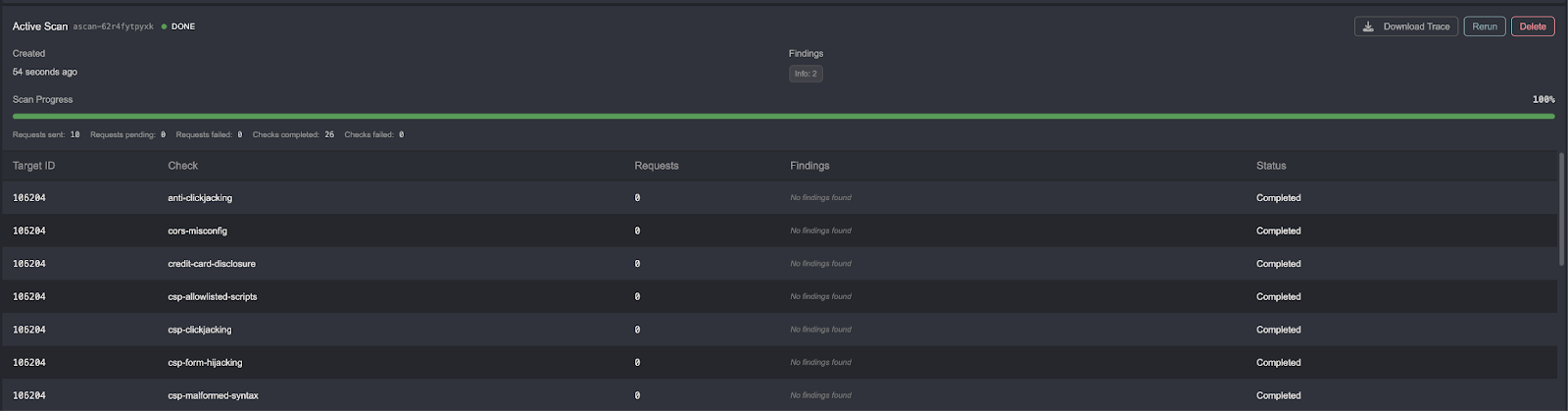
Discovered vulnerabilities are sent by the scanner to a separate Findings tab, which does not contain much detail. Below is an example of a specific potential security finding.


In Burp, the same view looks as follows:
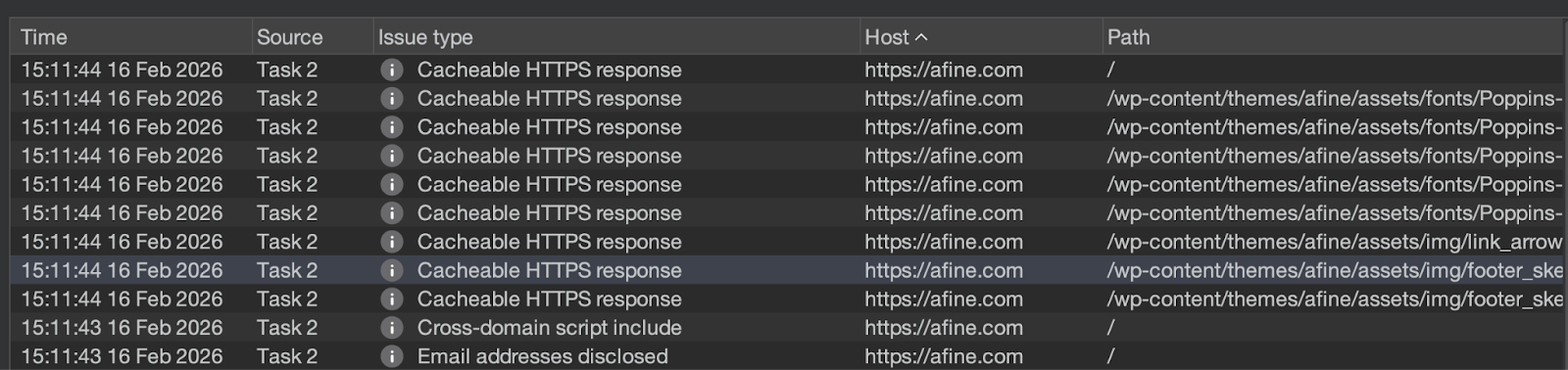
At first glance, both scanners provide the same level of detail. However, Burp additionally provides data in the Audit Logs, Error Logs, and other tabs that are not found in Caido.
Scanner Options - Burp Suite
The next point of analysis is feature availability and scanner effectiveness. Burp clearly comes out ahead here.
Burp's scanner offers three modes: Crawl and Audit, Crawl, and API-only scan. You can read more about the full scanner configuration in Burp's official documentation.
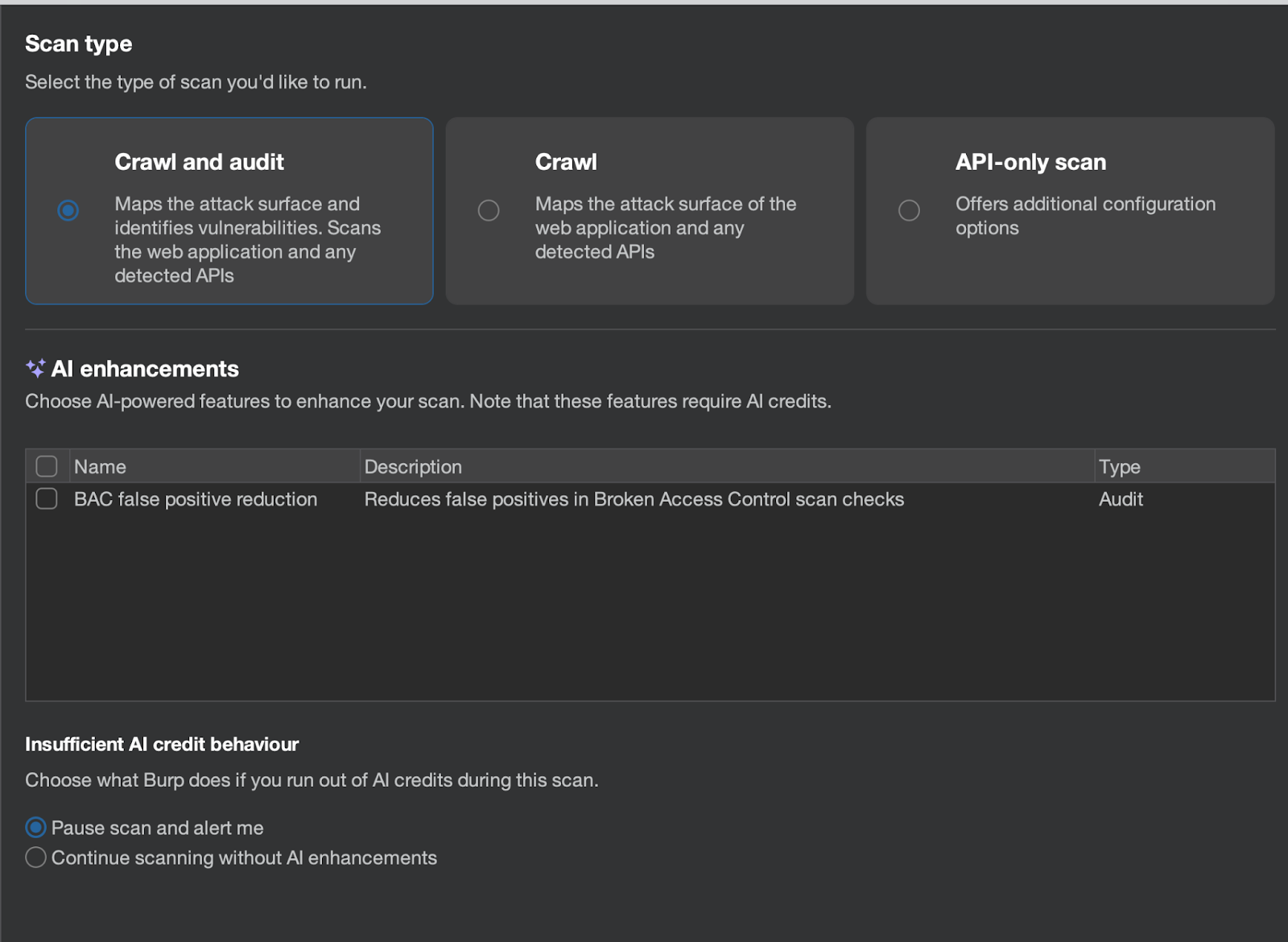
- The first mode uses a crawler to discover various application resources and additionally scans the application for security issues.
- The second mode allows for discovery of new resources using the crawler only.
- The third mode is particularly interesting, as it allows scanning APIs by providing their definitions as OpenAPI or SOAP WSDL.
- There is also the option to use AI to analyze false positives in BAC (Broken Access Control) vulnerabilities.
Another capability Burp provides is the ability to define which URLs should be excluded from the scan.
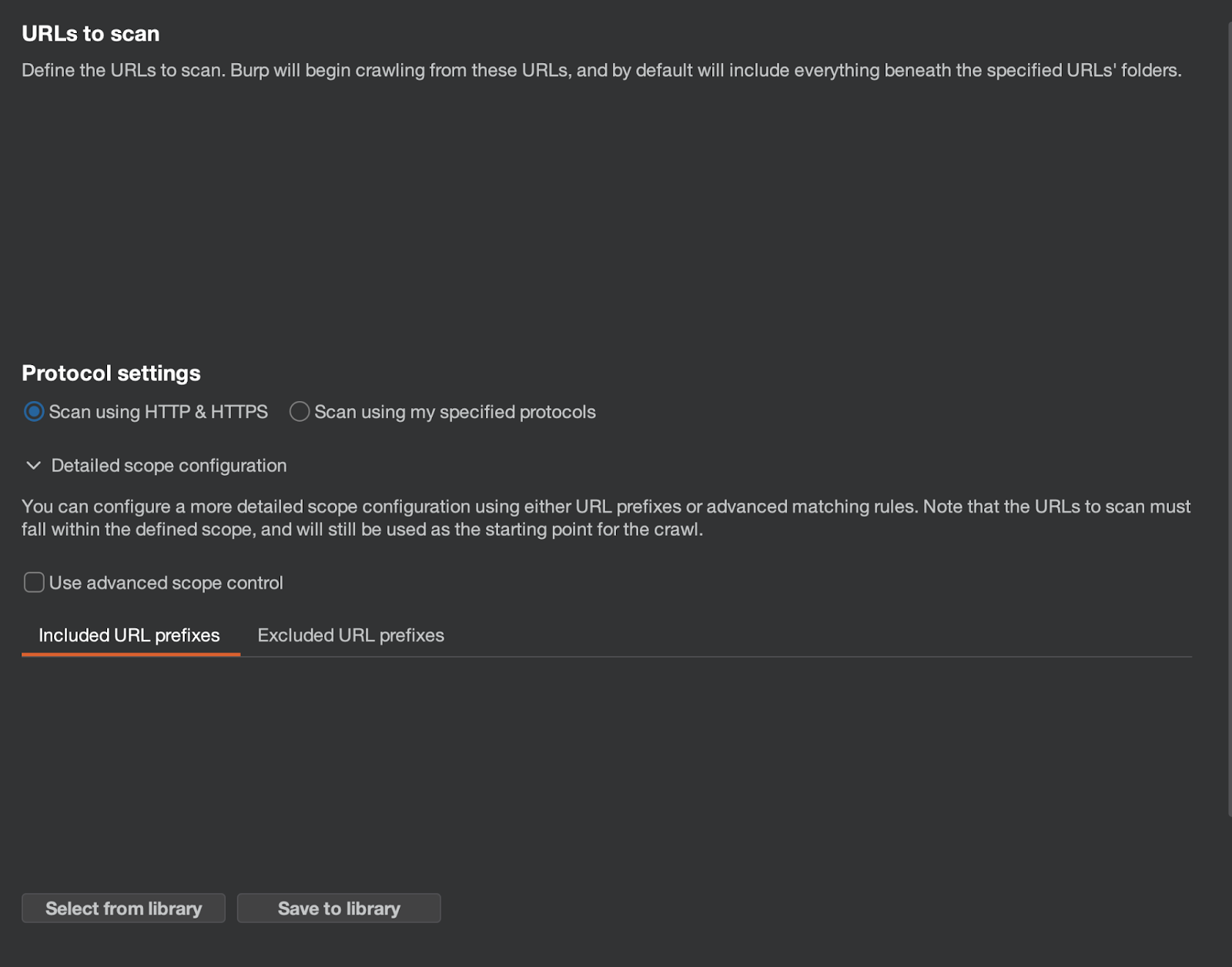
The next step allows you to define which security vulnerabilities will be scanned, as well as details related to scanning and crawler usage.
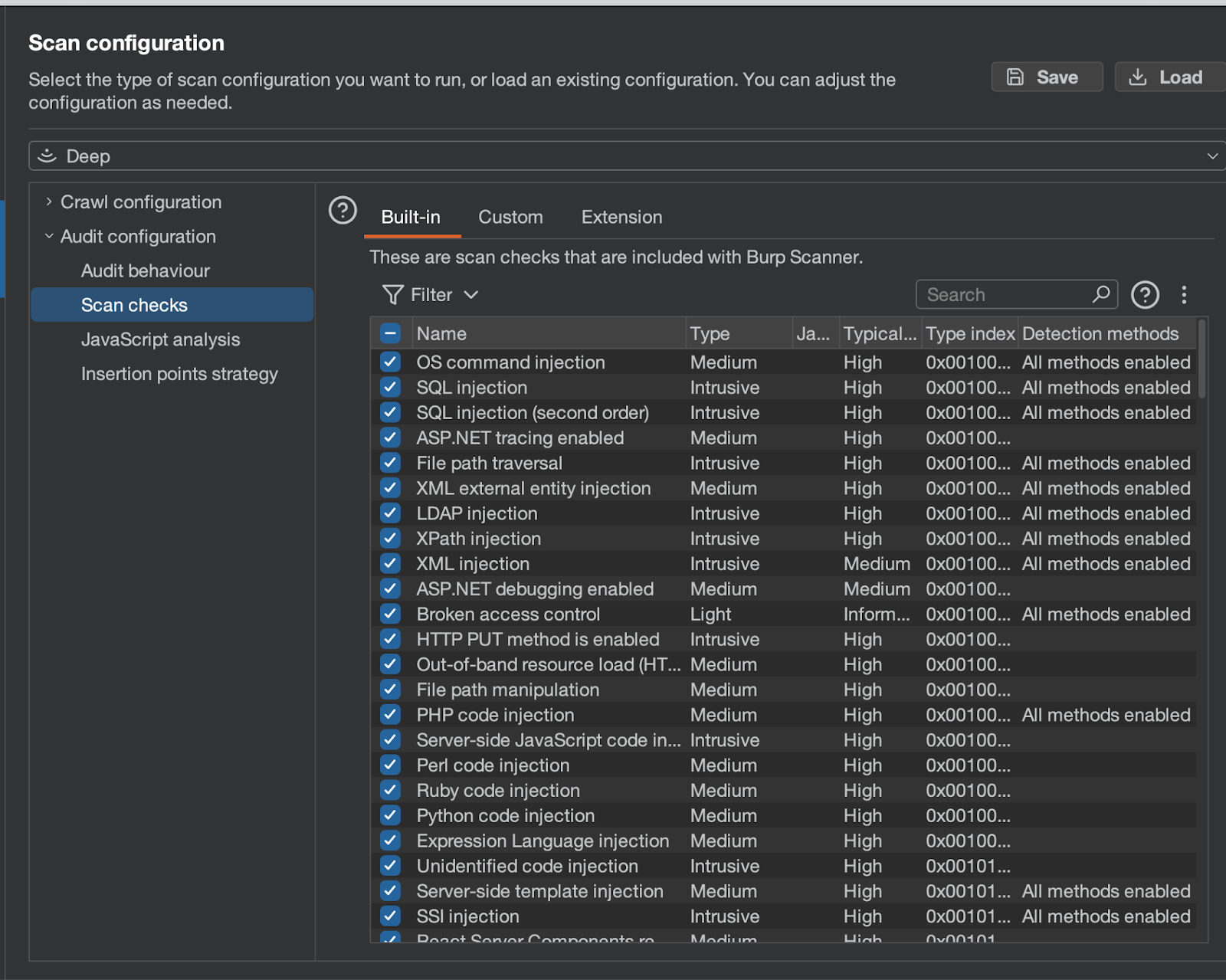
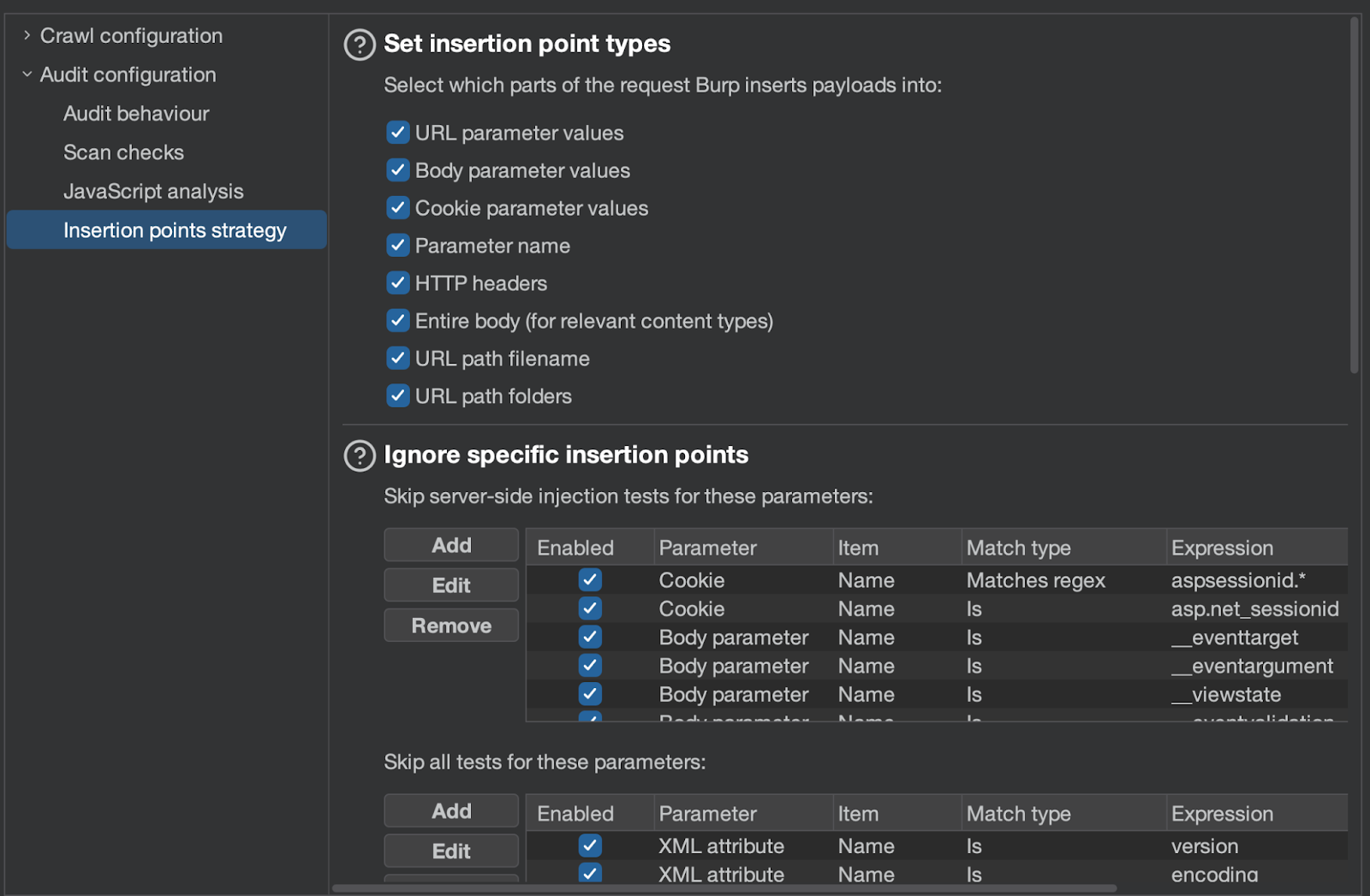
The most interesting features include: dynamic and static JavaScript analysis, the ability to predefine injection points, and areas where Burp should not inject anything.
Additionally, the scanner provides extensive crawler configuration options.
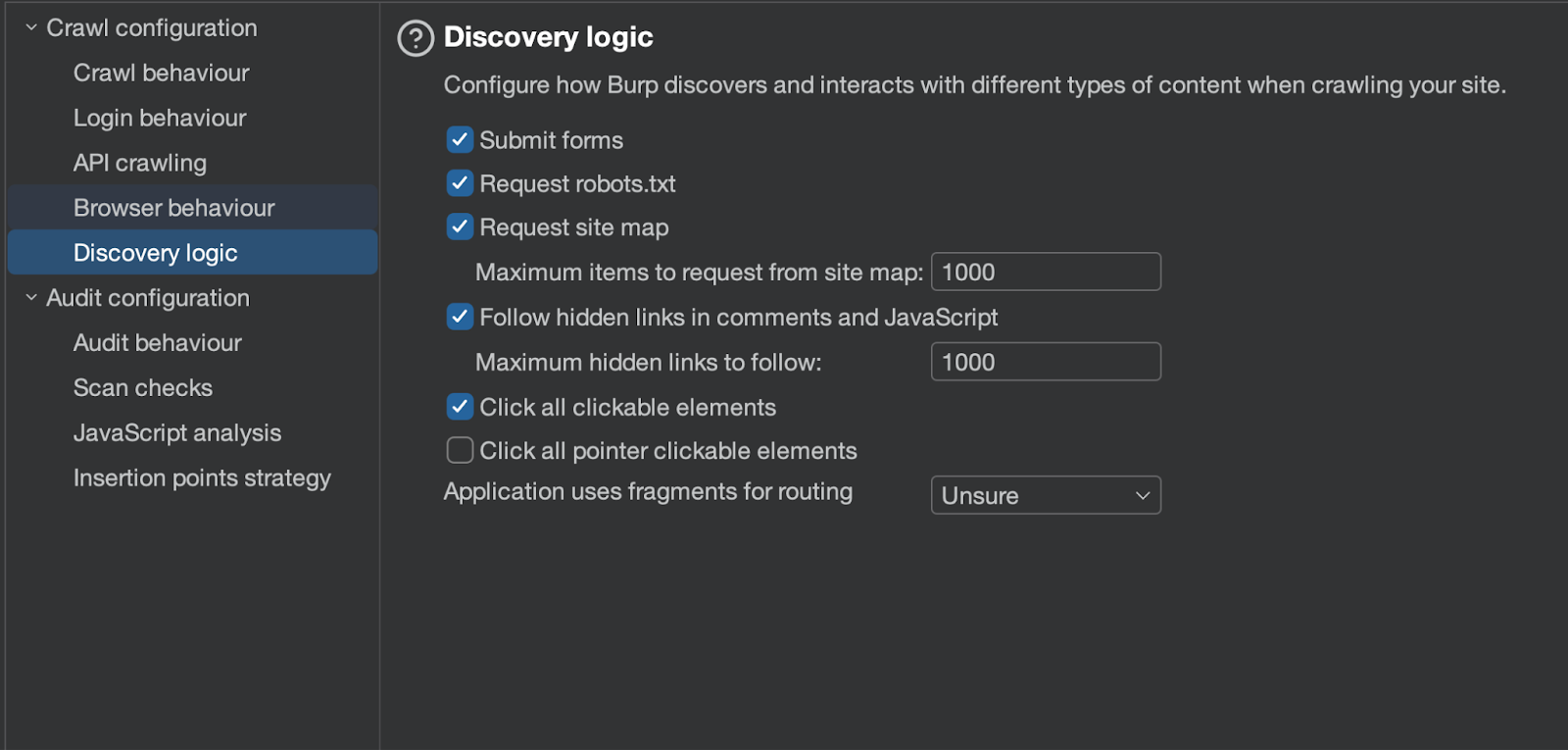
There is even the ability to program the scanner to log in to accounts, as shown below:

The remaining options relate to the speed of traffic generation as well as scanner behavior depending on, for example, HTTP status codes.
Scanner Options - Caido
By default, Caido does not include a scanner or a crawler. Both can be installed as plugins (the equivalent of Burp extensions) created by Caido's developers.
Out of the box, Caido allows you to define which security vulnerabilities will be checked - similar to how it works in Burp. However, the list is much shorter compared to Burp.
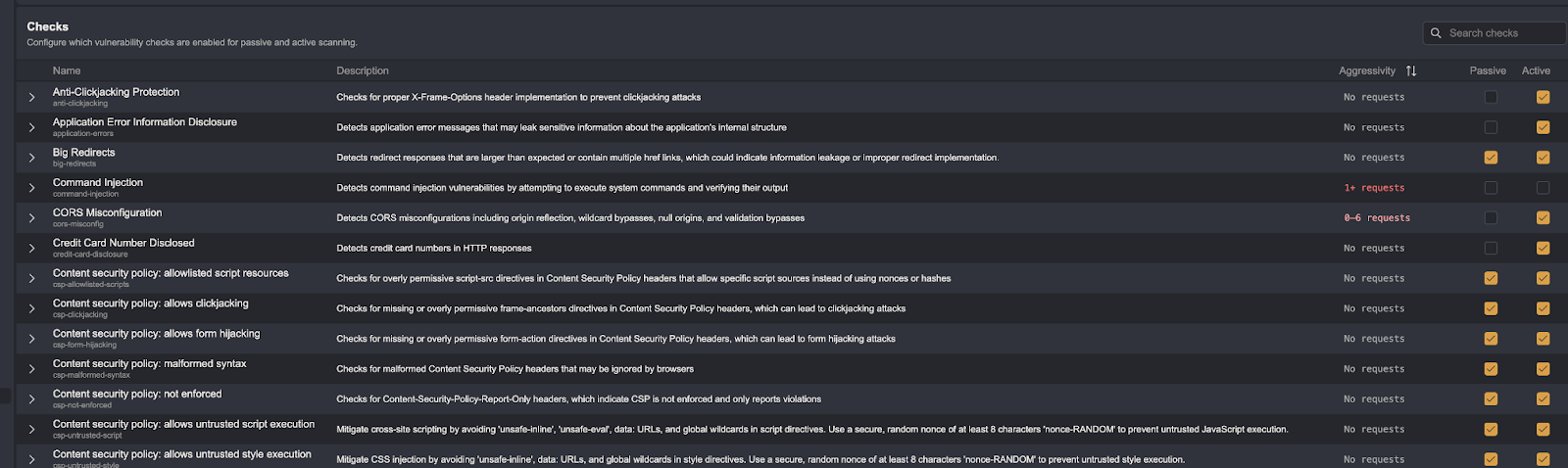
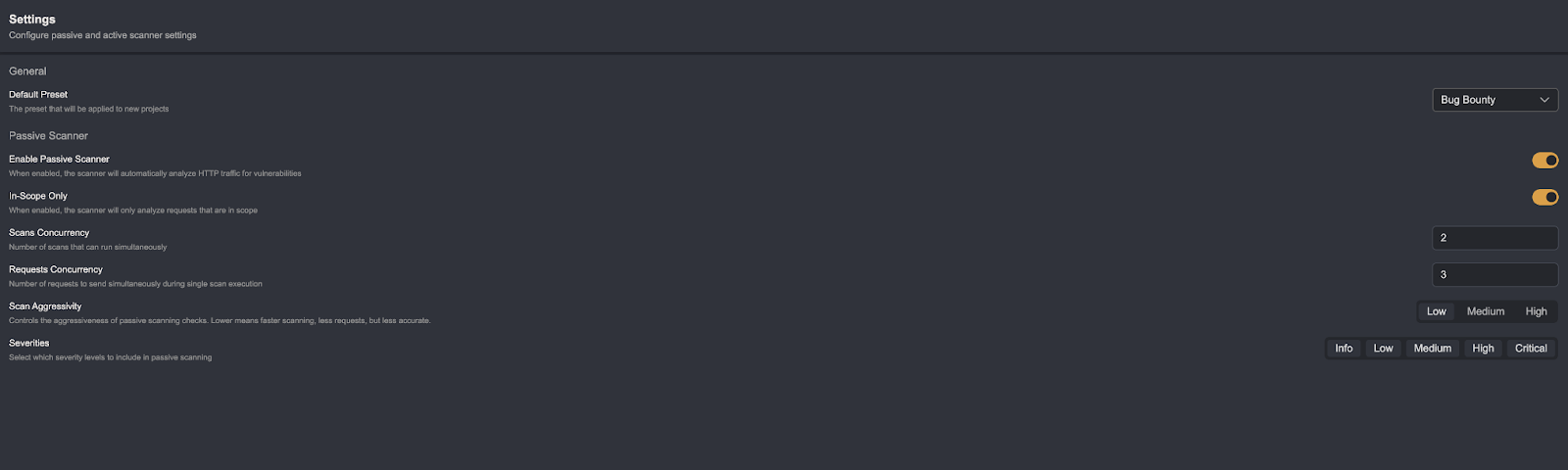
Caido also allows defining additional options, although there are not many of them.
The same applies to the crawler.
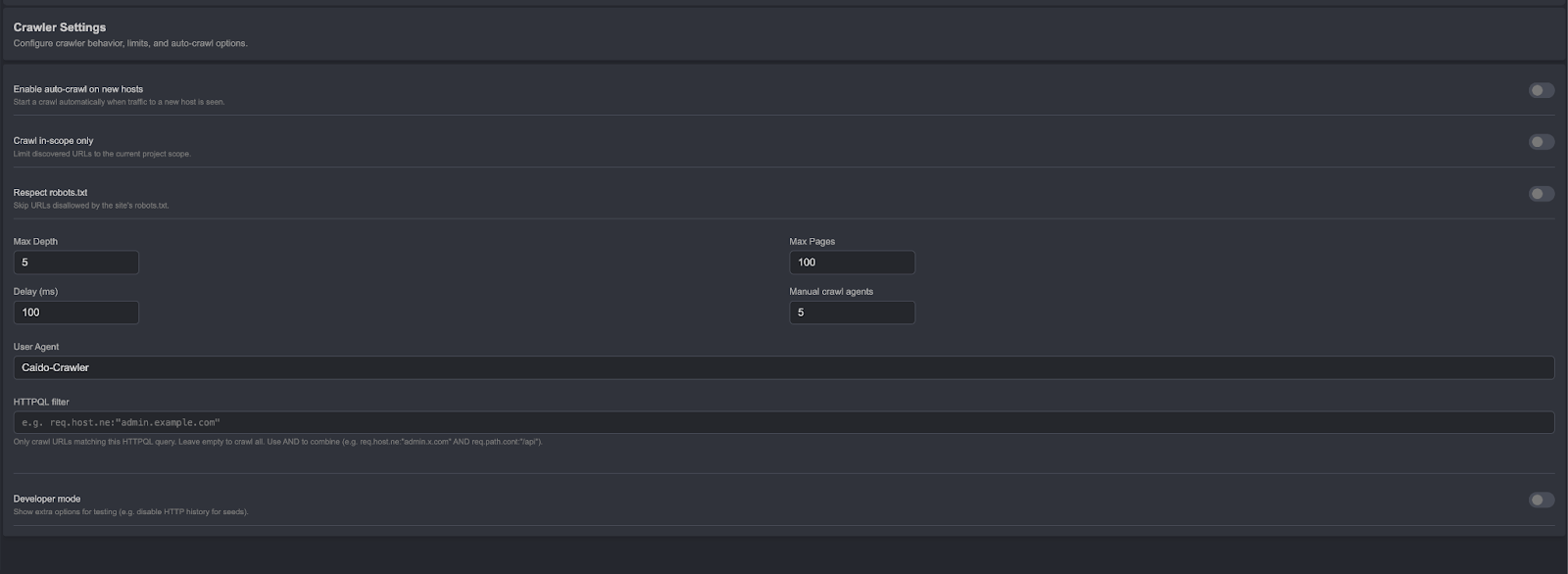
In this comparison, Caido falls significantly short.
Scanner Effectiveness - Summary
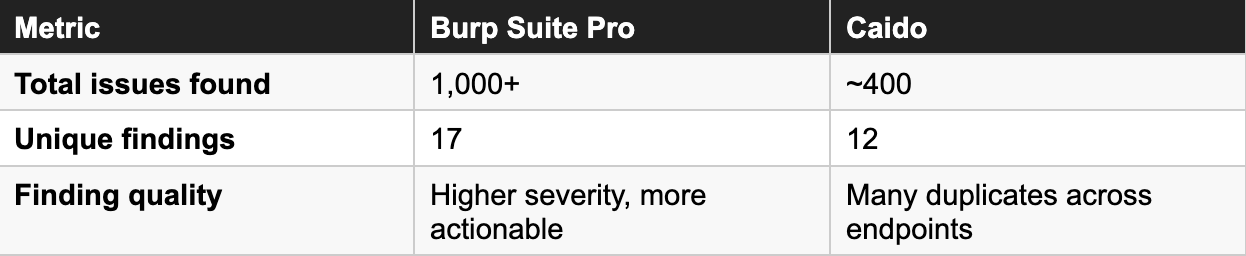
Caido's scanner is far less advanced than Burp's. In penetration testing against the same target, it found only around 400 security issues (the majority of which were repeated across different endpoints), with just 12 unique findings.
In Burp's case, that number slightly exceeds 1,000, with 17 unique findings. Furthermore, Burp reported more interesting vulnerabilities. Burp's scanner is clearly more effective and provides better support during penetration testing engagements.
Request Filtering - Target Tab and Sitemap
When hunting for security vulnerabilities, there is often a need to find specific requests and responses. Both tools approach this problem differently. Burp allows searching using regexes and Bambda, while Caido offers HTTPQL - a purpose-built query language for HTTP traffic. Both solutions are useful but also have their drawbacks. The Target (Burp) and Sitemap (Caido) interfaces themselves do not differ significantly from each other.
In Burp, you get the ability to perform advanced request filtering using Bambda - an API that can be used with the Java language. Below is a simple script that shows JS files containing the string "/api":
return node.requestResponse().response().header("Content-Type").value()
       .contentEquals("application/javascript") &&
node.requestResponse().response().bodyToString().contains("/api");
In Caido, the same can be accomplished as follows:
resp.raw.cont:"Content-Type: application/javascript" and
resp.raw.cont:"/api"
Caido's HTTPQL syntax is simpler but also less precise and flexible. However, in the vast majority of cases encountered when hunting for security vulnerabilities, there is no need for greater precision. You can optionally supplement it with workflows, although that is a more roundabout approach.
In this case, there is no clear winner - the choice depends on personal preference.
Repeater - Race Condition and Custom Actions
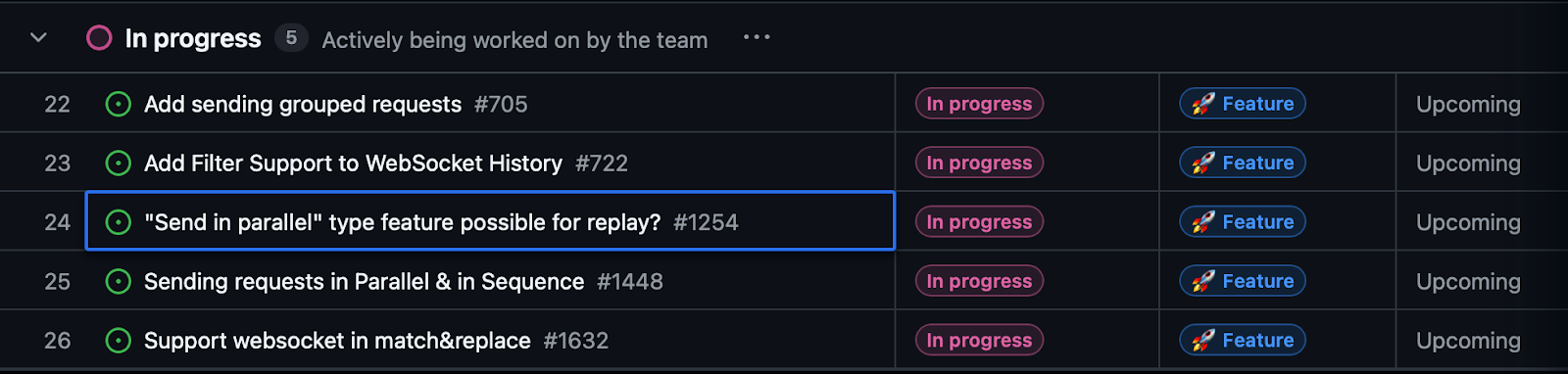
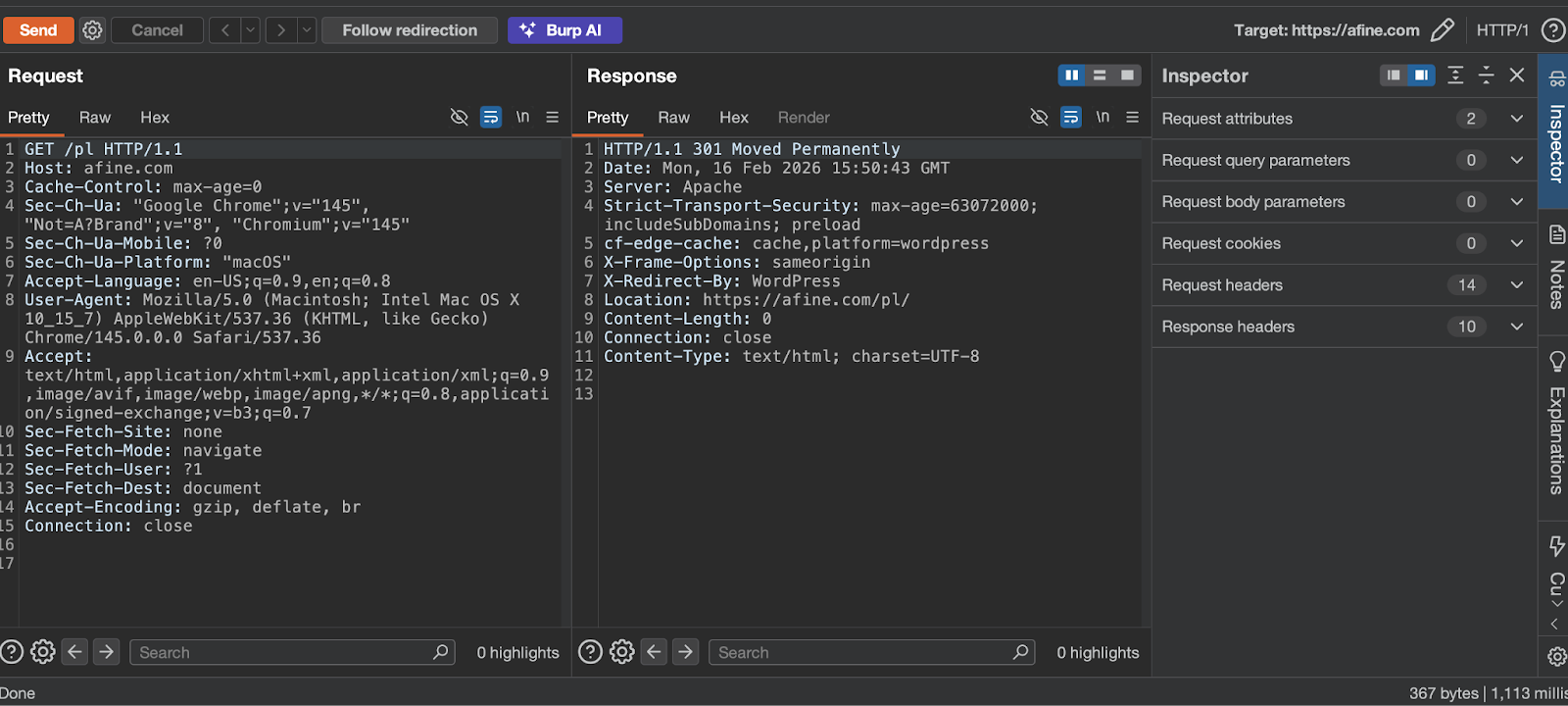
Caido's Repeater tab is straightforward and works exactly as a Repeater should. Burp's Repeater, on the other hand, includes two additional main features: race condition testing and custom actions. Both tools support grouping requests into tabs.
The first feature is self-explanatory. The second allows using Bambda to modify requests and responses, and even to execute actions after selecting text. Burp's documentation includes an example that modifies a request by changing a CSRF token:
var resp = requestResponse.response().bodyToString();
if (resp.contains("csrf=")) {
    var csrfIndex = resp.lastIndexOf("csrf=") + 5;
    var csrf = resp.substring(csrfIndex, csrfIndex + 16);
    csrf = csrf.replace("a", "b").replace("c", "d");
    logging.logToOutput(csrf);
} else {
    logging.logToOutput("No CSRF token");
}
Custom actions look interesting, but their practical usefulness is generally limited. Burp wins this round - though that may change soon, as Caido has announced race condition testing is on the roadmap.
Screenshots of the Repeater tab in both tools:

Intruder and Automate
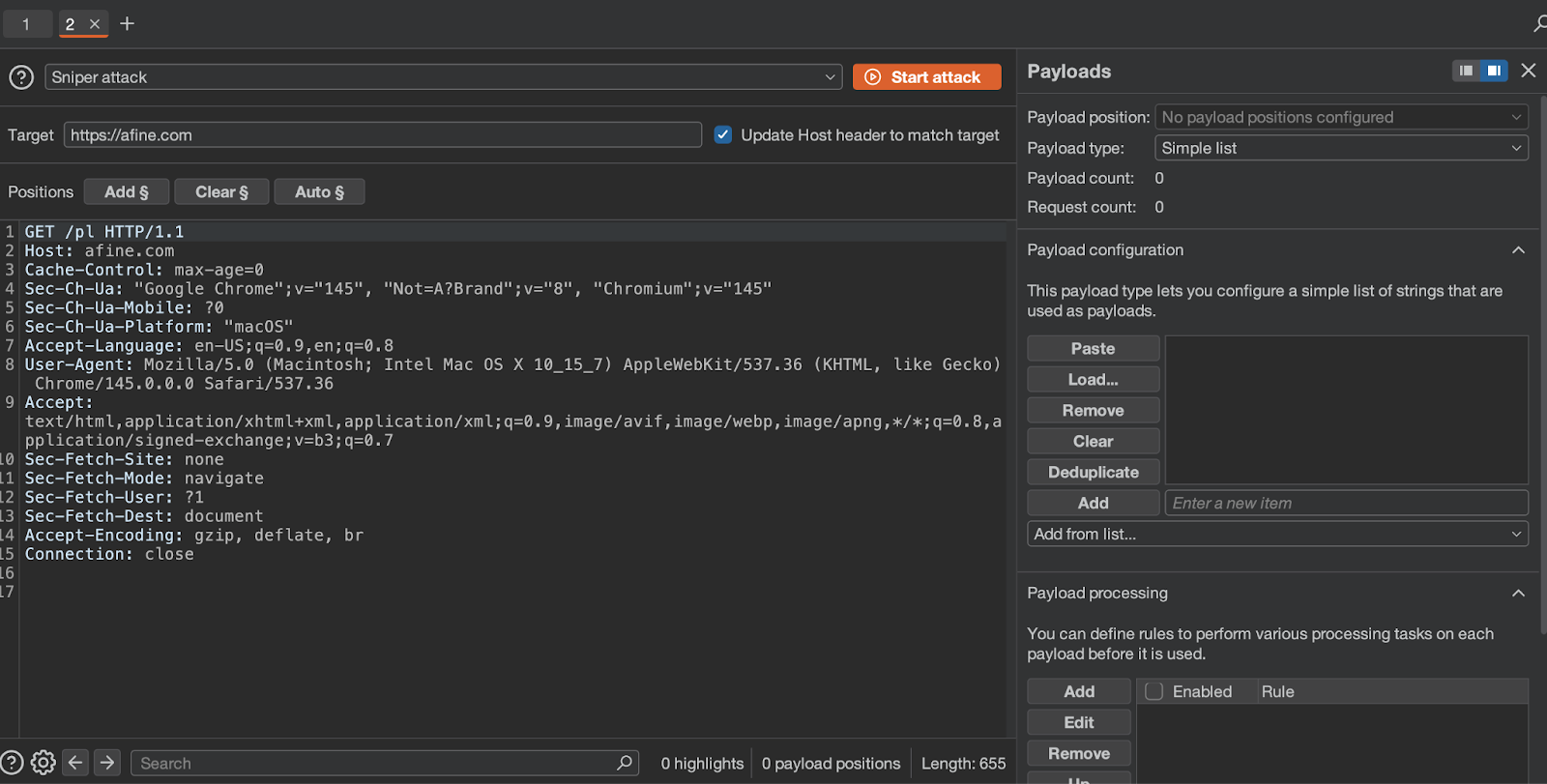
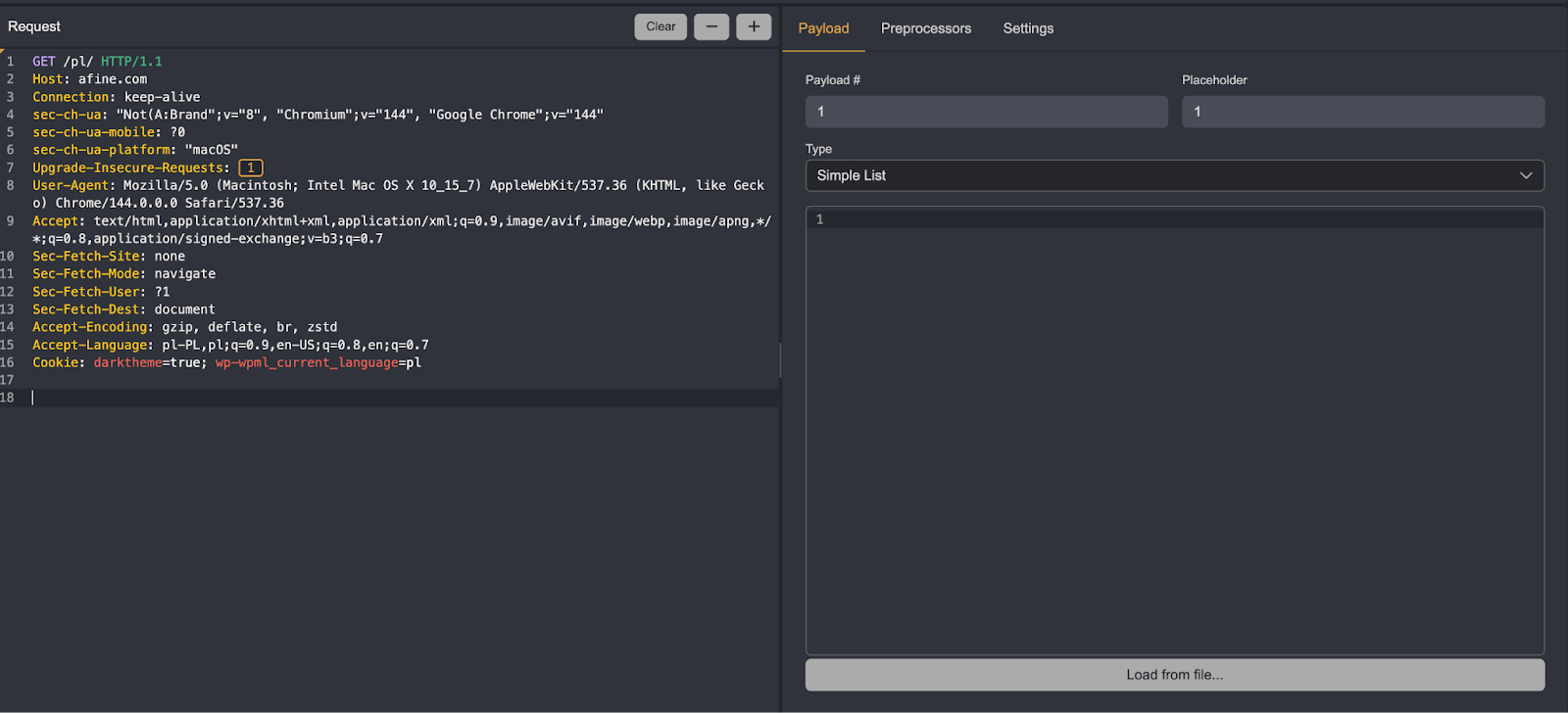
Both tabs offer similar functionality. Burp's Intruder has slightly more modification options and supports iterating over dates, built-in wordlists, and other features. In the vast majority of cases, Caido's Automate will be sufficient.
Overall, Intruder has a bit more to offer, so the choice depends on personal preferences and specific needs.
Screenshots of the Intruder and Automate tabs:
Decoder, Comparer, and Sequencer
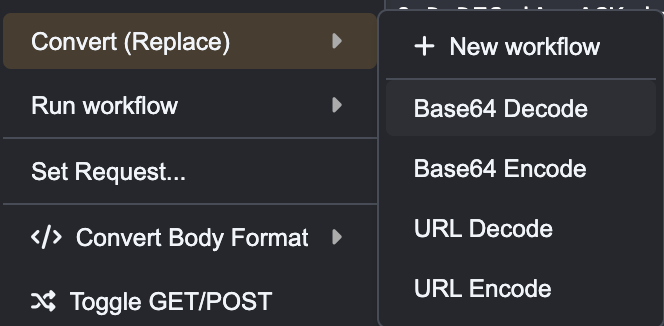
By default, Caido does not include these tabs. They can be downloaded as plugins written by Caido's developers (with the exception of Decoder). Caido's Decoder works as a workflow, invoked by right-clicking on selected text or a request.
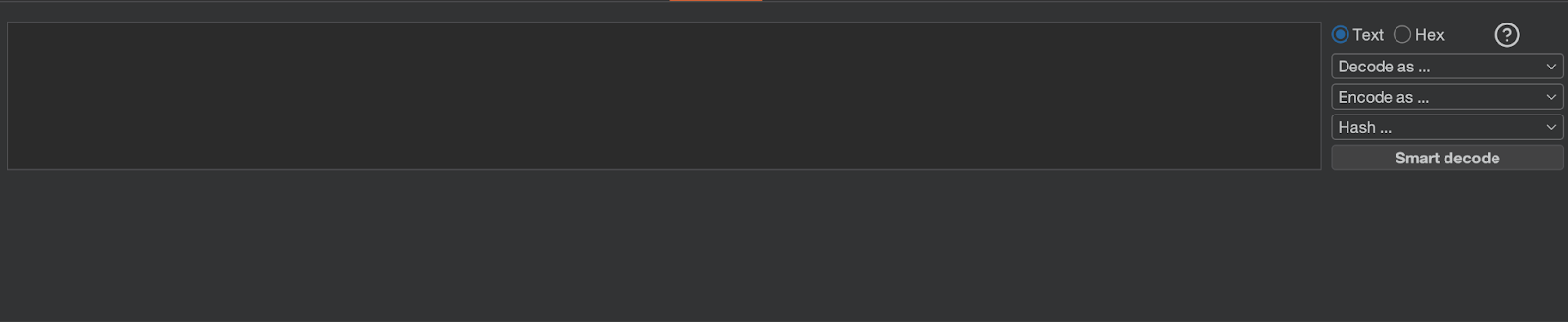
Decoder tab in Burp:
Comparison of the remaining tabs:
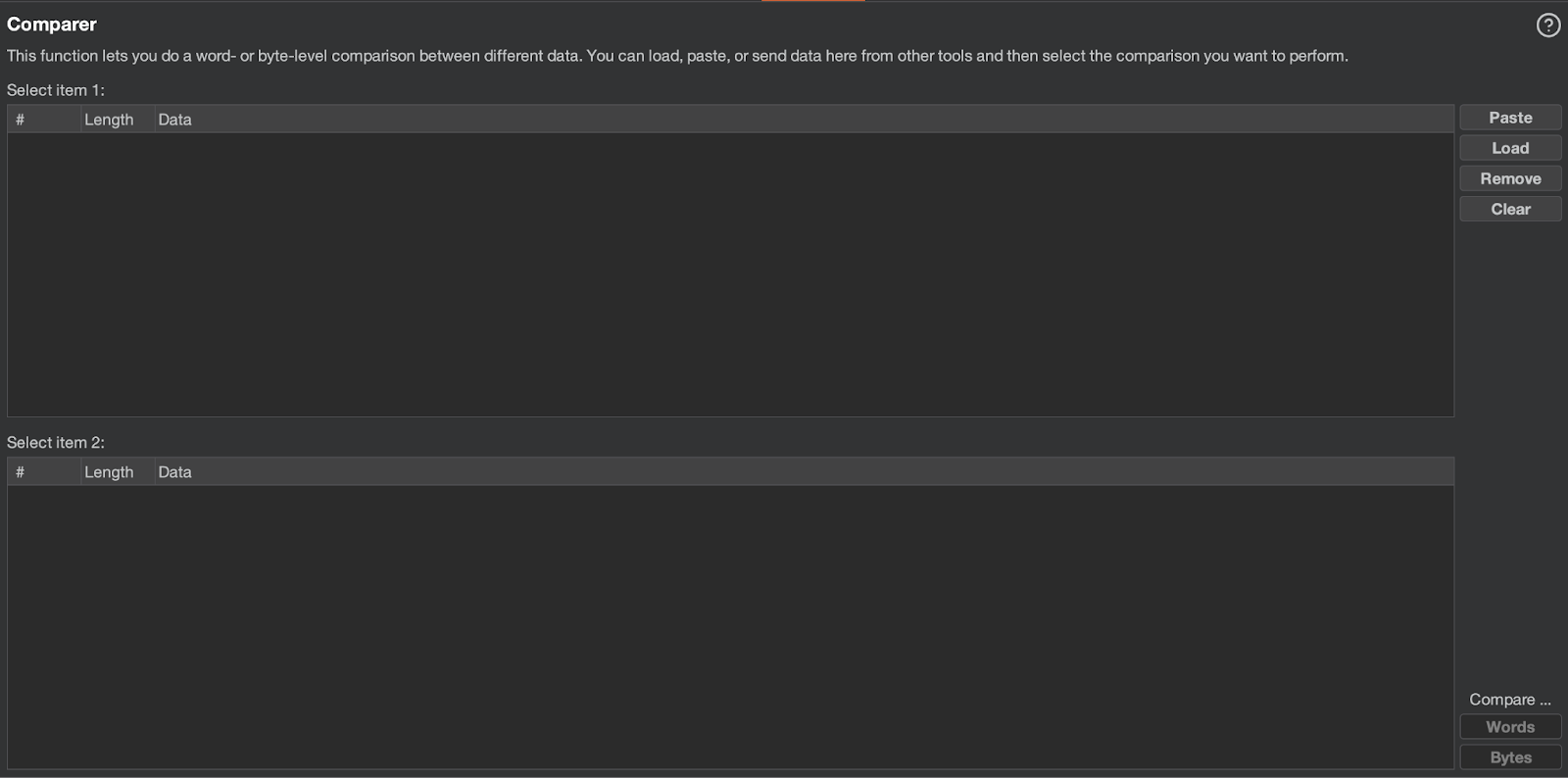
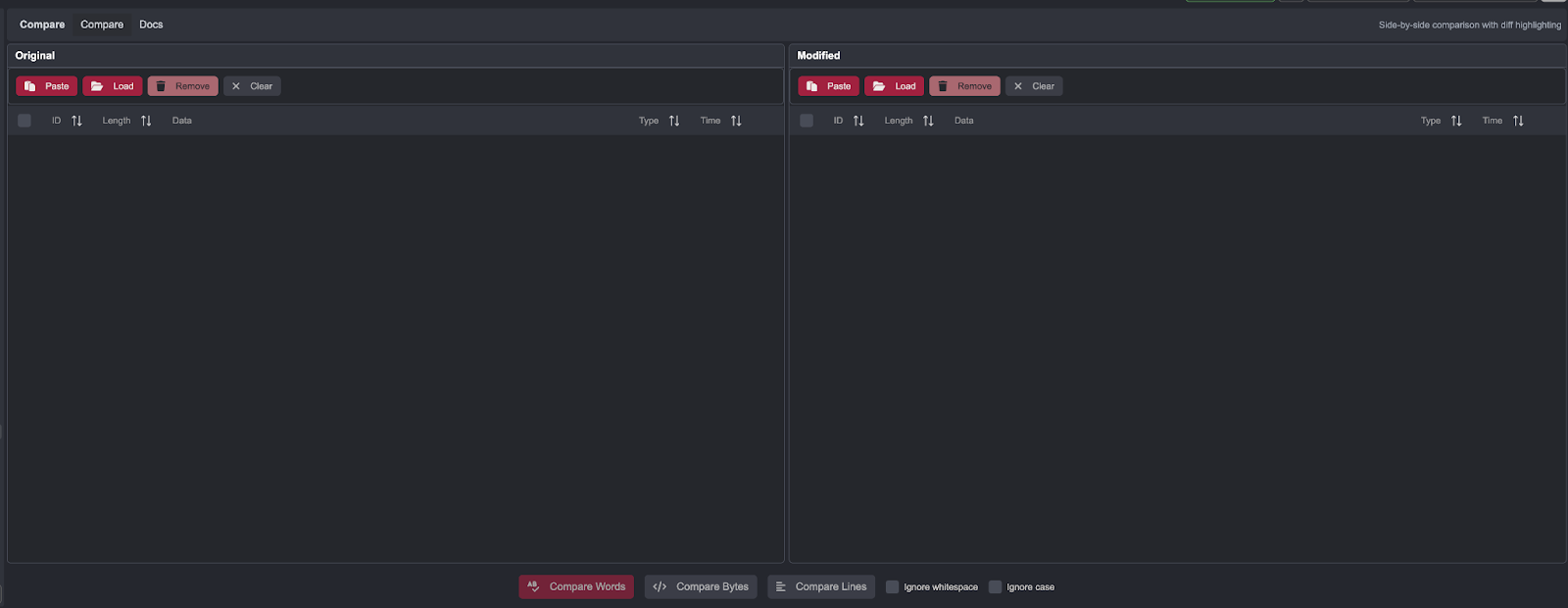
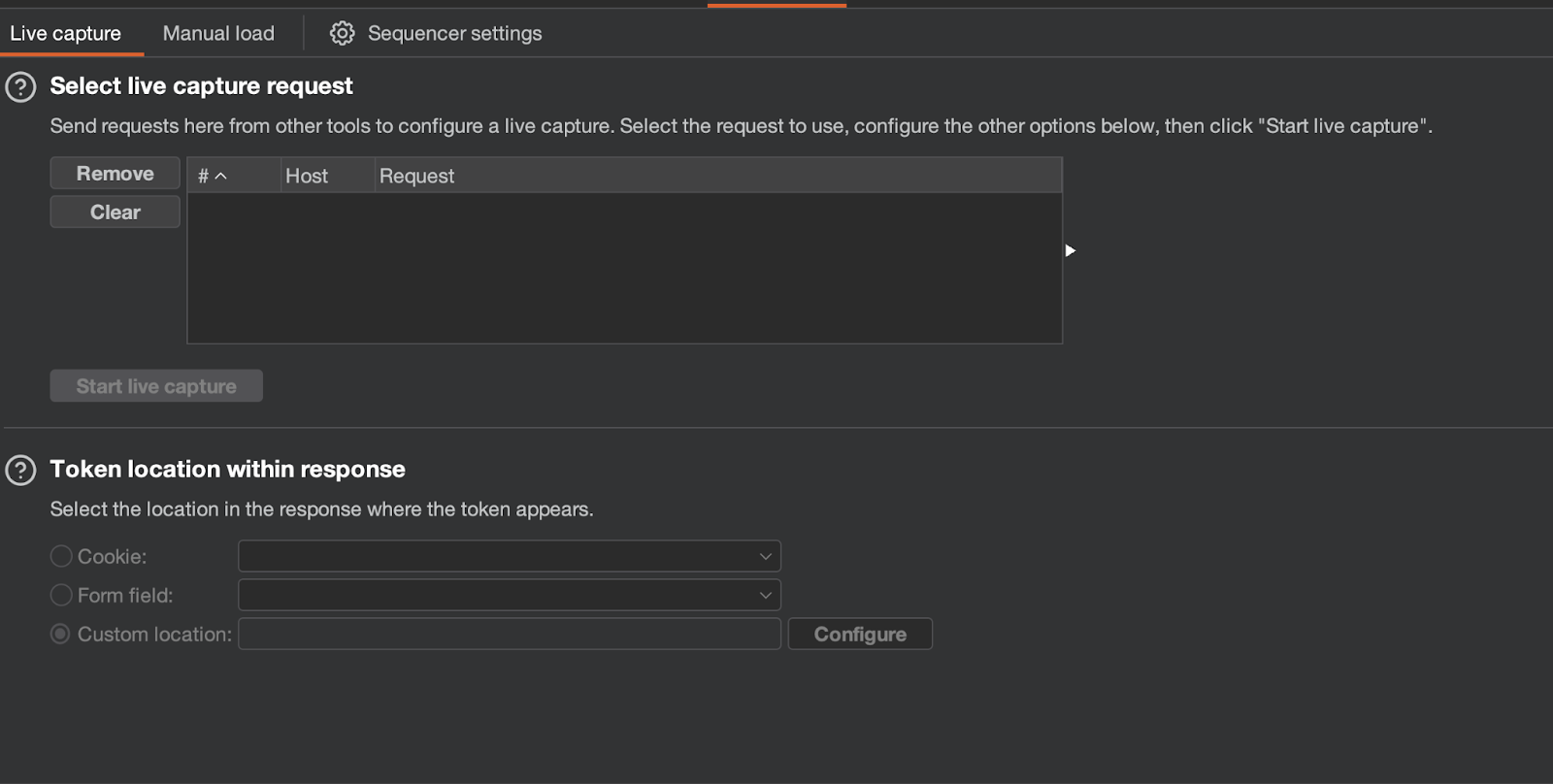
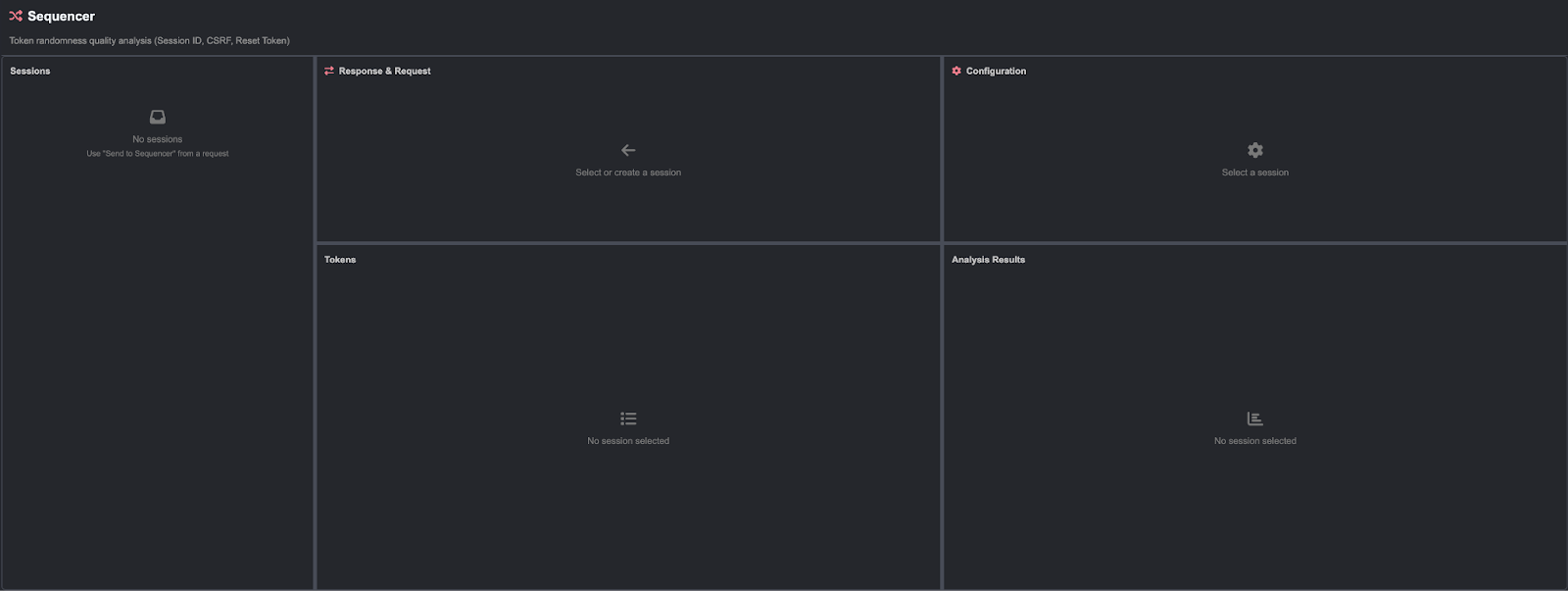
Both tools have comparable effectiveness for these features.
Collaborator and Quick SSRF
In both cases, the tools fulfill their purpose and allow configuration of a custom server. Once again, Caido makes the tool available in the form of a plugin.
Screenshots of both tools:
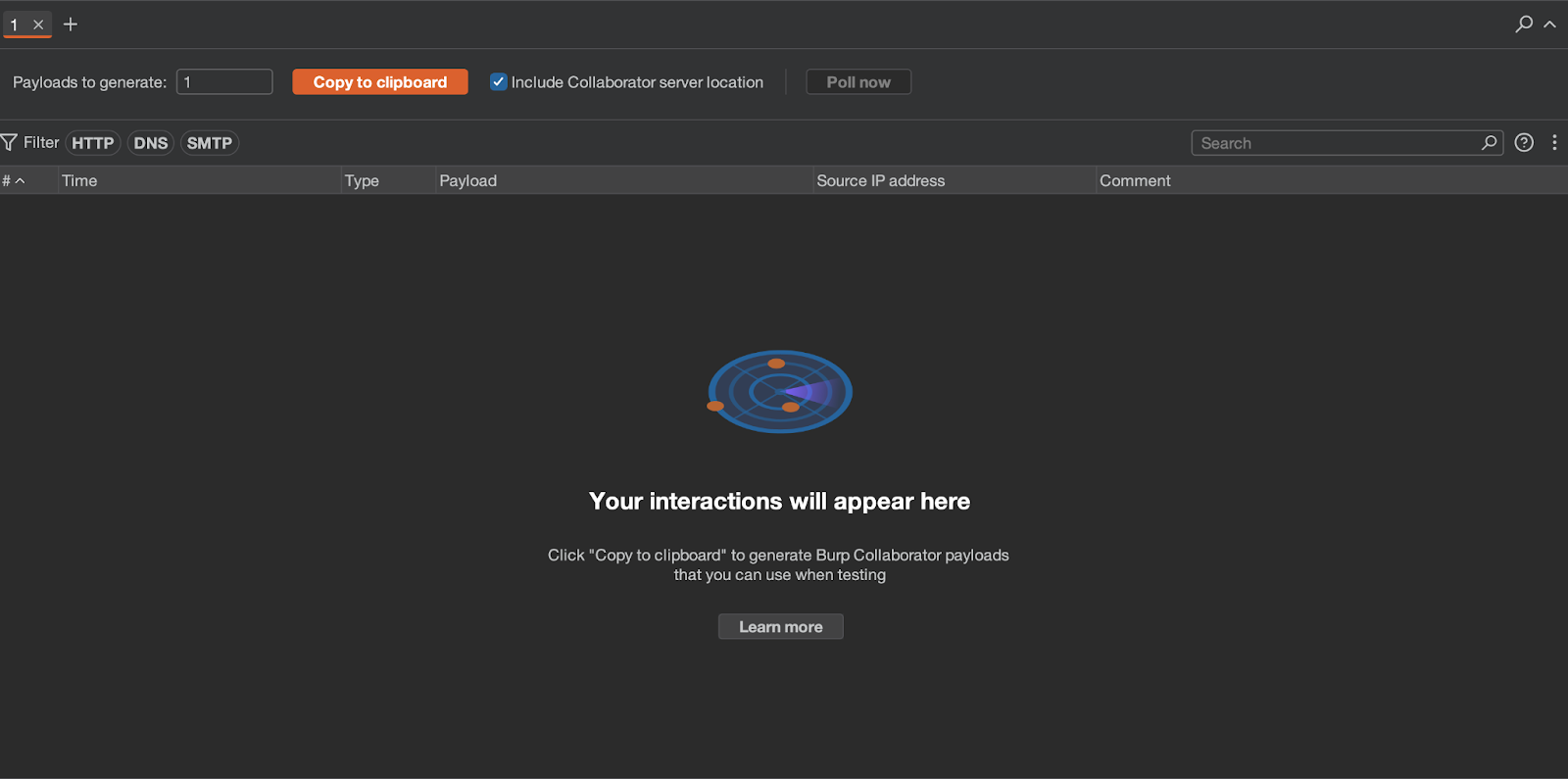
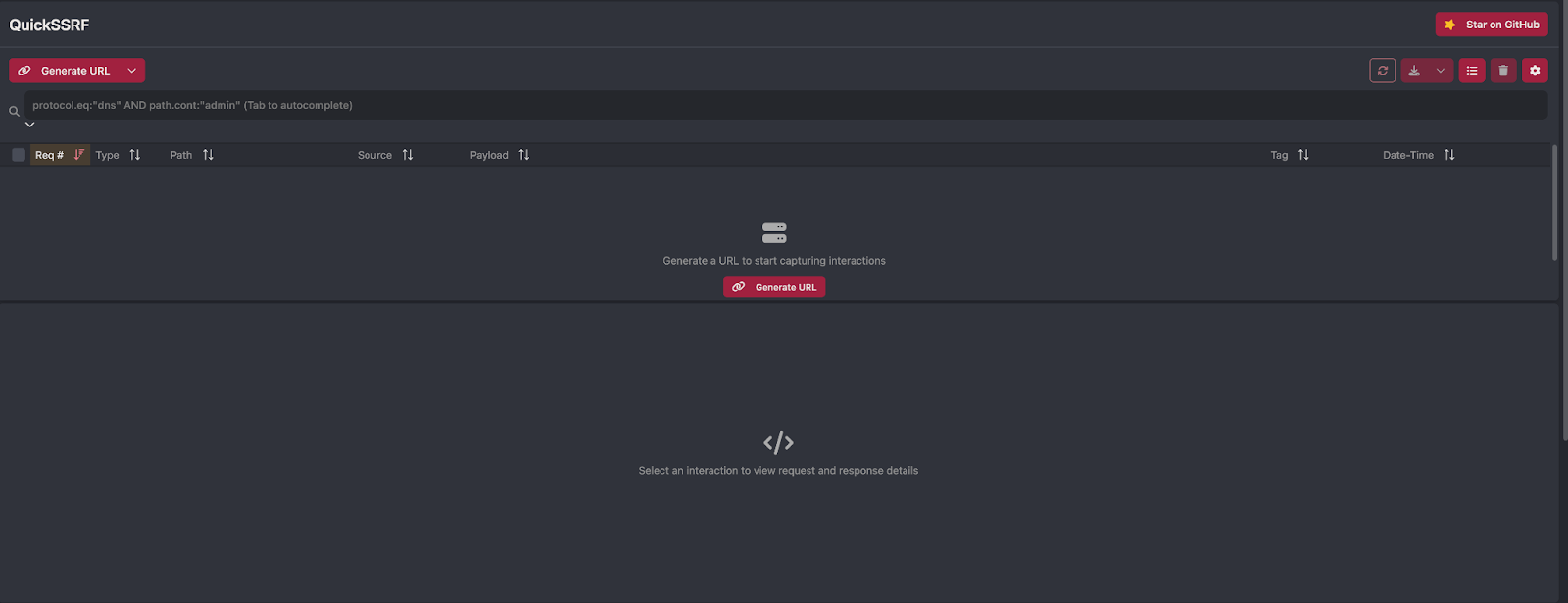
Both tools have comparable effectiveness.
Organizer
Burp includes an additional Organizer tab, primarily used for saving requests of interest during a test. This feature is absent in Caido, though its absence is not strongly felt.
During tests, the Repeater tab can accumulate dozens or even hundreds of requests. Some of these are worth flagging as potentially interesting and sending to the Organizer tab. A useful alternative in Caido is to group requests within Repeater.
Screenshot of the Organizer tab in Burp:
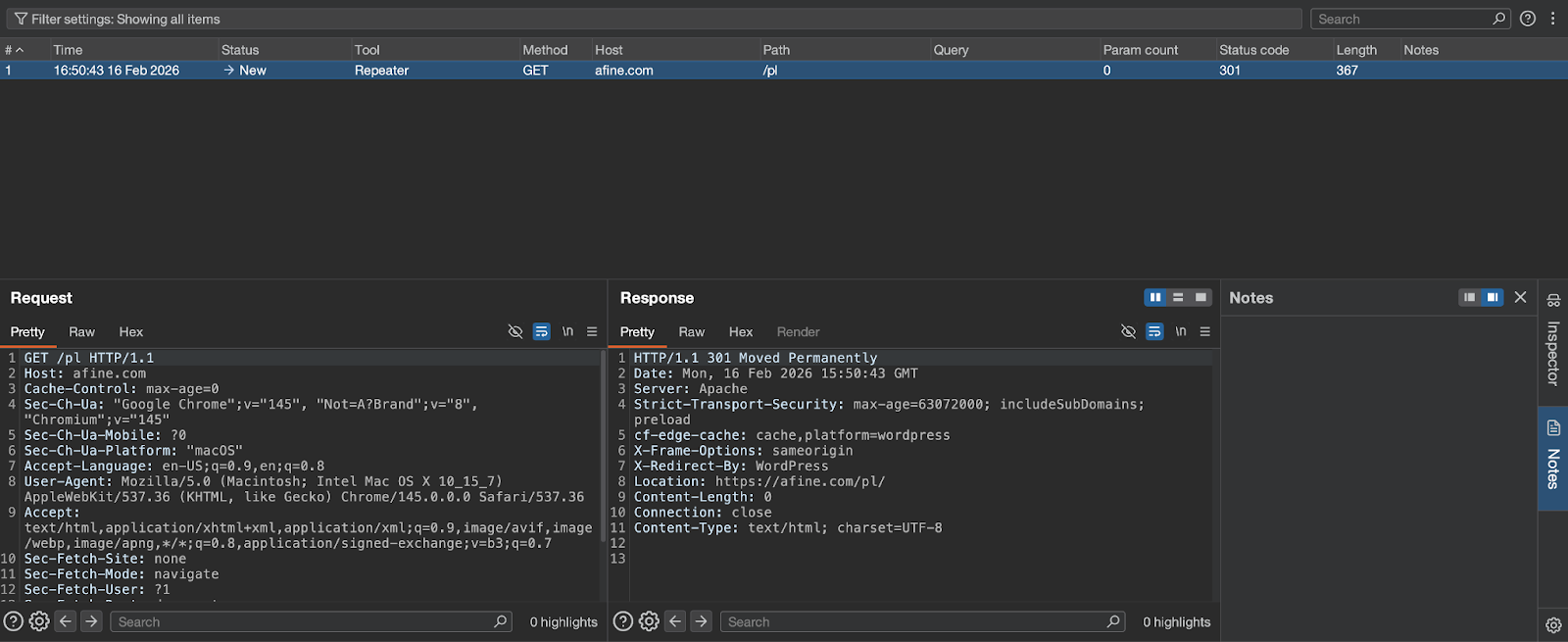
For this feature, the choice largely depends on working style and individual preferences.
Extensions vs. Workflows and Plugins - The Real Advantage of Caido
One of the most important features during penetration testing - especially in Bug Bounty - is the ability to write custom tools for detecting vulnerabilities tailored to a specific application and client. Burp provides three solutions:
BChecks
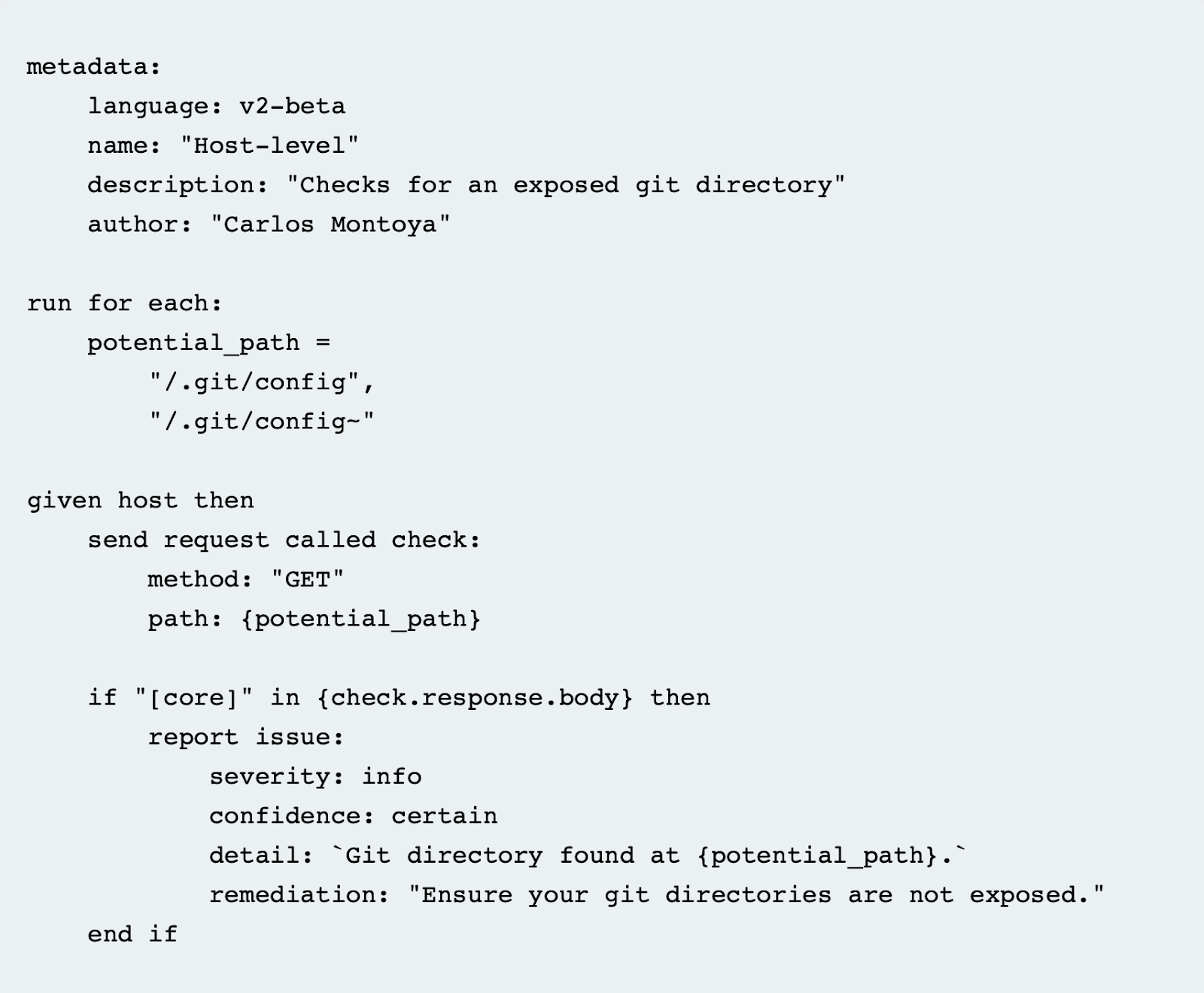
The first involves writing so-called BChecks - simple scripts in a syntax created by Burp's developers. BChecks work well for basic tasks such as checking for Host Header Injection, although they can be unstable. Until recently, this was the only way to automate certain tasks in Burp (before custom checks were introduced).
One of their biggest drawbacks is unpredictable behavior and the lack of debugging capabilities. If parameters are defined in the wrong order - even when they are labeled (e.g., severity or confidence) - a BCheck may fail to work. A script can pass the testing menu without errors but behave completely differently during a live scan, failing to detect requests that were correctly identified in the test menu.
Writing more complex scripts often requires working around limitations. This leads to many small extensions that are tightly coupled to a specific application and client, compounded by limited readability of both Bambda and BChecks within Burp's API.
Screenshot of an example BCheck:
Custom Checks
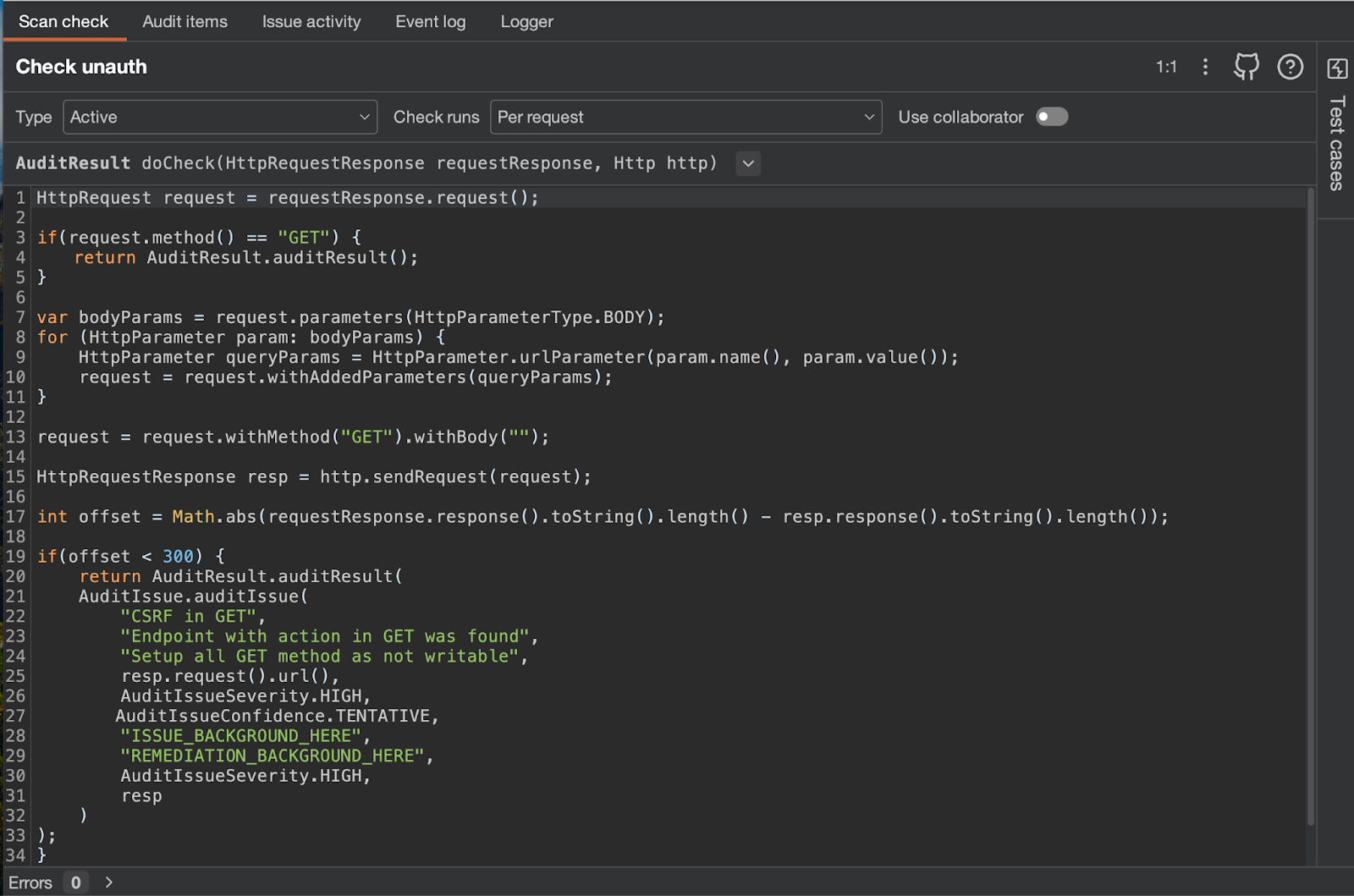
Burp has since introduced custom checks, which are the equivalent of Caido's workflows and address two of the previously mentioned problems. There is no longer a need to rely on the BChecks language. Custom checks have far more functionality and can be thought of as small extensions that are easy to scope to individual projects.
However, the API documentation is less readable, and it is not uncommon for the custom checks API to stop working and require a Burp restart - which in some cases can mean waiting several minutes, especially with multiple large projects open.
Screenshot of an example custom check and Burp's interface:
Caido - Workflows and Plugins
Caido offers two solutions: workflows and plugins. Plugins are simply the equivalent of Burp extensions, while workflows are the equivalent of custom checks. The difference lies in clarity, intuitiveness, and the debugging experience.
Screenshot of the workflow writing interface and a code snippet:
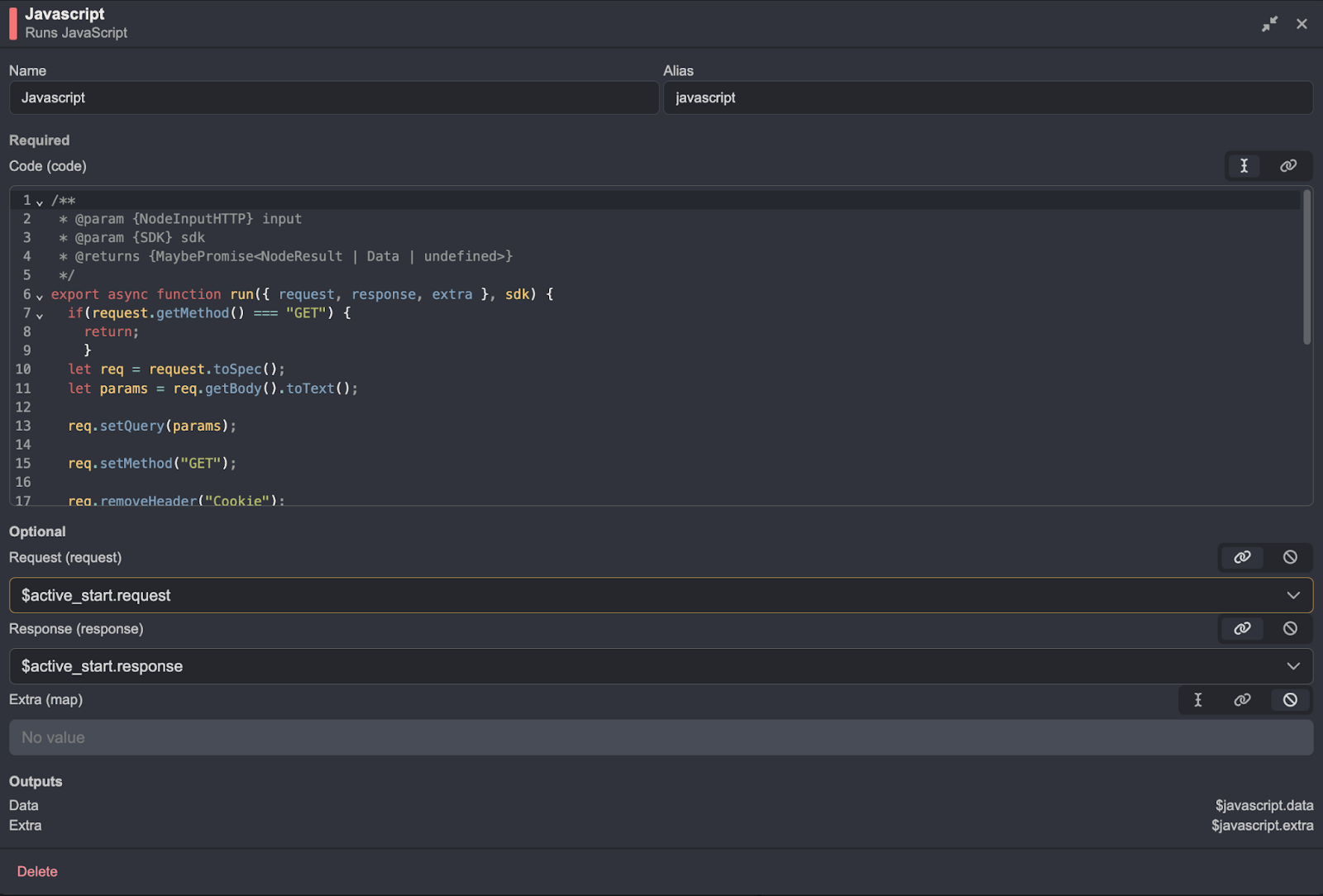
The code is significantly more readable in Caido. Below is a screenshot of the workflow tab and the graphical representation of the full script:
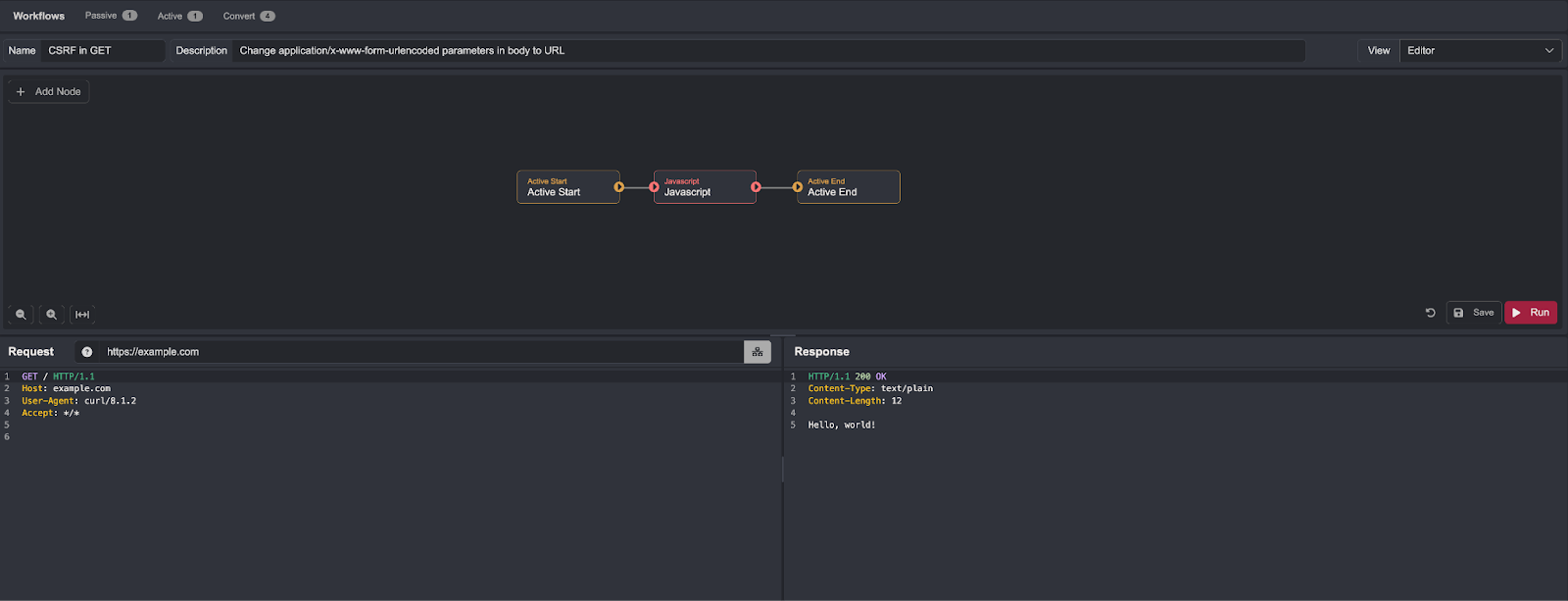
In the example workflow, execution begins with an Active Start block and ends at Active End. The workflow uses a JavaScript block that lets you define custom code for executing actions.
There is nothing stopping you from using other native blocks in a straightforward way, or even executing code locally on your machine:
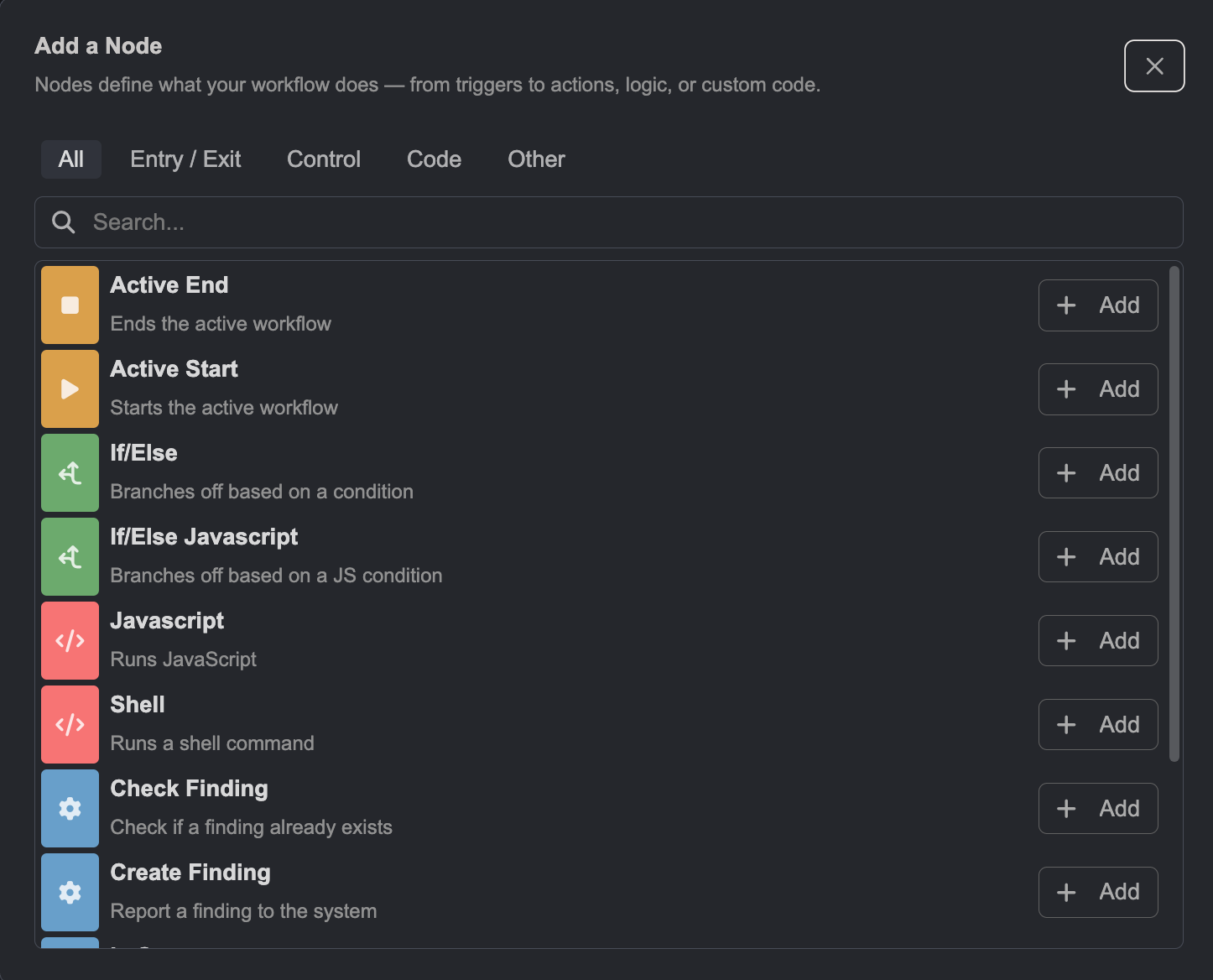
In these areas, Caido is more modern and enables faster work with better automation.
Extension Ecosystems
Both Caido and Burp have a large extension ecosystem. However, Caido falls short compared to Burp in this regard. Having been on the market for much longer, Burp has a considerably larger library of highly useful extensions.
Summary
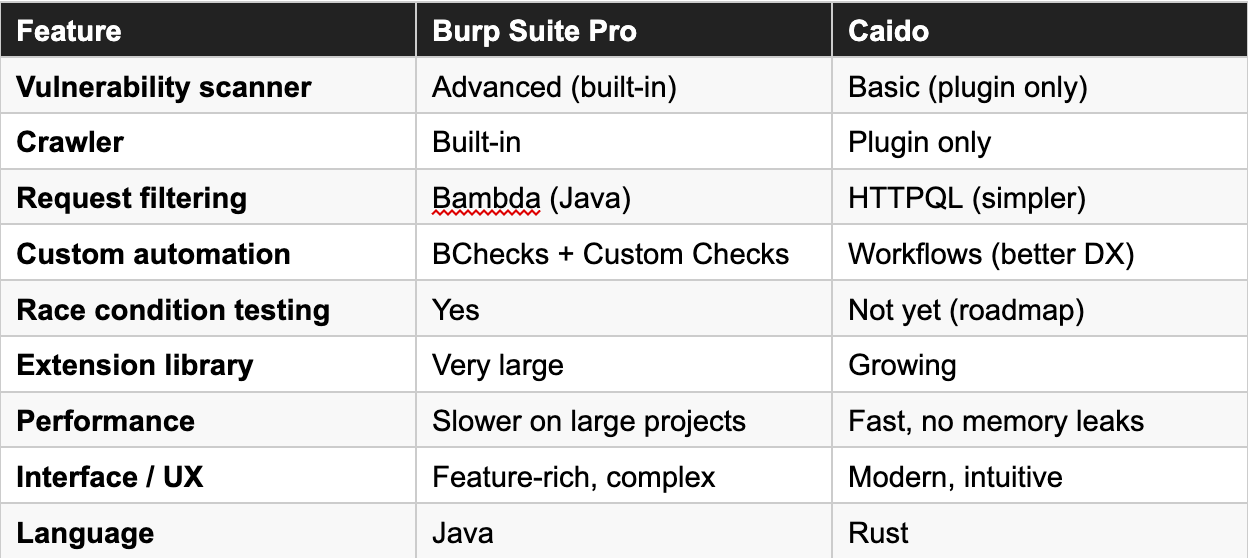
Both tools are highly useful and fulfill their purpose, but depending on your working style, one may have the edge over the other. The key to deciding will be trying both and seeing which better suits your workflow and delivers better results.
Burp Suite Professional is an excellent tool that offers a wide range of capabilities and can be customized to a greater degree. It includes many additional options that significantly enhance its functionality. Its greatest strength is the vulnerability scanner - in penetration testing and Bug Bounty, it functions more as an anomaly detector and a pointer to interesting areas than a straightforward vulnerability finder. Burp also benefits from a significantly richer extension library than Caido.
On the downside, Burp's performance is a concern. Slow loading of large projects and custom checks that need a more modern and stable approach work against it.
Caido is an excellent alternative for those who value performance, automation, and clarity. Its greatest strength is its workflow system, which makes task automation straightforward. It is worth emphasizing that Caido is more performant than Burp - projects load significantly faster and there are no memory leak issues. The documentation is easier to absorb, and the interface is intuitive and visually clean.
However, Caido's biggest weakness is its scanner, which performs considerably worse than Burp's and is far less advanced. Additionally, Caido still lacks tools for race condition testing, and its extension library is not yet sufficiently extensive.
I encourage you to test both tools - it may turn out that at any given moment you can leverage the strengths of each application individually, or combine their functionality for better overall workflow efficiency.
Caido vs Burp - Quick Comparison